Pick the layer by the devices that need the tunnel
The question is which devices must be inside the tunnel, not which option sounds more secure.
| Situation | Start with | Watch for |
|---|---|---|
| One laptop or phone on working hotel Wi-Fi | VPN app on that device | Device limits on your VPN plan |
| A streaming stick, console or device without a VPN app | VPN client on the travel router | Router throughput ceiling and provider support |
| Several devices, one setup to maintain | Router VPN with a kill switch | Whole-trip impact if the router tunnel fails |
| Employer-managed laptop with its own VPN | Leave the work VPN in charge on that device | Do not route it through extra tunnels without approval |
| Some devices in the tunnel, some not | Router VPN with client-based policy (firmware 4.9 and later) | Policy matching by device MAC address |
The router ceiling: listed VPN client figures
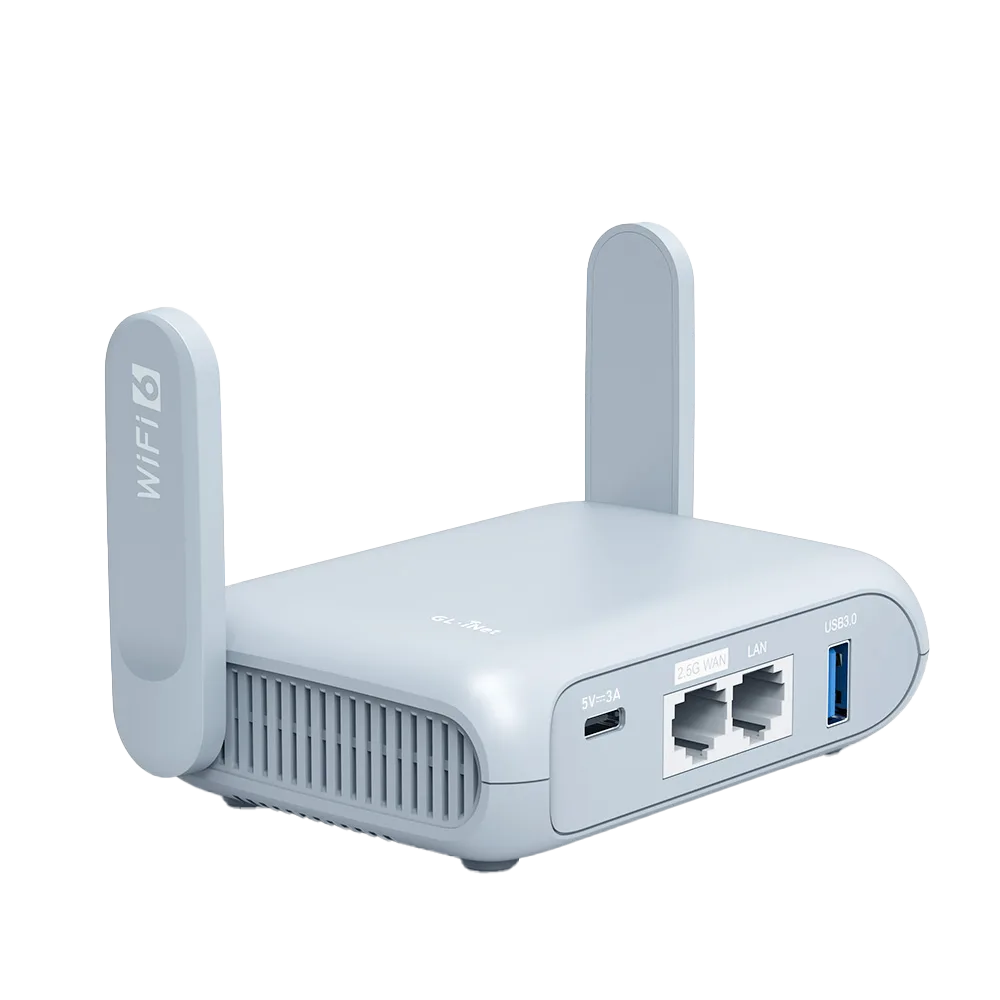
GL.iNet publishes VPN client figures for its travel routers, measured on a local network in client mode, and states that real-world speeds may differ and that server mode is slower. On the Beryl AX page, the comparison table lists Opal (GL-SFT1200) at up to 65 Mbps WireGuard and 21 Mbps OpenVPN, and Beryl AX (GL-MT3000) at up to 300 Mbps WireGuard and 150 Mbps OpenVPN. [1]
Those numbers are the most a vendor test achieved, not what you will see on a hotel network. Their use is comparative. If you plan a router VPN for several devices on a fast connection, an Opal-class ceiling is far more likely to bind than a Beryl AX-class one. If the hotel link is slow, both may exceed it.
What the router VPN can do that an app cannot
On GL.iNet firmware 4.7 and later, the WireGuard client accepts provider credentials for a built-in list of services or an uploaded configuration file for others. [2] The VPN dashboard then controls who uses the tunnel. In firmware 4.9 it supports policies by client source, including specified devices or excluding specified devices by MAC address, and by target domain or IP list. [3]
GL.iNet documents a per-tunnel Kill Switch since firmware 4.8 that blocks matching traffic if the VPN fails, an Enhanced Kill Switch that forces all devices to use a VPN, and an Allow Non-VPN Traffic option that is on by default. Read those three together: with the default left on, traffic outside any tunnel can still use the local WAN. [3]
Getting provider files onto the router
For a provider not in the built-in list, download a WireGuard configuration from the provider and upload it. Proton documents generating a .conf file from its account Downloads page, choosing a platform, server and options such as NetShield, Moderate NAT and VPN Accelerator; on a Free plan only VPN Accelerator is available. [4] Proton lists VPN Plus as covering 10 devices at a time and Free as one. [5]
Keep configuration files out of shared folders and messages; they contain the private key that identifies the tunnel. If you stop using the router, delete the configuration on the provider side as well as on the router.
Order of operations at a hotel
The hotel Wi-Fi diagnostic log has columns for each of these states, so you can record what changed rather than guess.
- Connect the router to hotel Wi-Fi with the router VPN off and complete the captive portal login.
- Confirm one device can browse through the router without the tunnel.
- Enable the VPN client and check the public IP from one device.
- Decide whether the kill switch should be on for this trip, knowing it blocks traffic when the tunnel fails. [3]
- If anything breaks, turn the tunnel off first, so you separate venue problems from VPN problems.
Worked example: a fictional streaming stick and laptop
Priya carries a work laptop with an employer VPN and a streaming stick that cannot run a VPN app. She wants the stick in a tunnel but the work laptop left alone. A router VPN with a client-source policy that includes only the stick fits; the laptop keeps its employer VPN and bypasses the router tunnel. On an Opal, the listed 65 Mbps WireGuard ceiling is the number to compare against the hotel connection; on a Beryl AX it is 300 Mbps. [1][3]
Had she only needed her personal laptop protected, a device app alone would have done the job without touching the router. This example applies documentation; it is not a test.
Who should skip router-level VPN
Skip it if every device that needs a tunnel can run an app, if you rarely use more than one device on hotel Wi-Fi, or if an employer VPN already covers the work device. Router VPN adds a single point of failure and a configuration to maintain. This guide is documentation research; we have not measured router or app VPN throughput.
Watch demos / Official walkthroughs
See the hardware in action.
Videos load from YouTube only when you press play. These are provider videos, not our own product tests.

GL.iNet / Official video
Beryl AX (GL-MT3000) - Unboxing and Setup Guide
What to look for: Identify the hardware connections and setup steps for Beryl AX; other models can differ.
Watch on YouTubeQuestions before you decide
Will a router VPN be slower than the app on my laptop?
It can be, because a small travel router may have less processing headroom than a laptop. GL.iNet lists WireGuard client maximums of 65 Mbps for Opal and 300 Mbps for Beryl AX from its own local-network tests. If your connection is slower than the listed ceiling, the router is less likely to be the limit. We have not measured either.
Can I use both a router VPN and a device VPN?
Technically a device can run its own VPN inside the router tunnel, but that adds overhead and can complicate work VPNs and troubleshooting. Pick one layer per device unless you have a specific reason for both.
Sources & verification
Product details and prices can change. Check the linked provider before buying.
- GL.iNet Beryl AX (GL-MT3000) product page and specifications Accessed 13 Oct 2026
- GL.iNet docs: WireGuard client (firmware 4.7 and later) Accessed 13 Oct 2026
- GL.iNet docs: VPN dashboard (firmware 4) Accessed 13 Oct 2026
- Proton VPN: How to download WireGuard configuration files Accessed 13 Oct 2026
- Proton VPN pricing (USD) Accessed 13 Oct 2026
Sources link directly to providers. Product buttons may use separately labeled affiliate links. Read our disclosure.