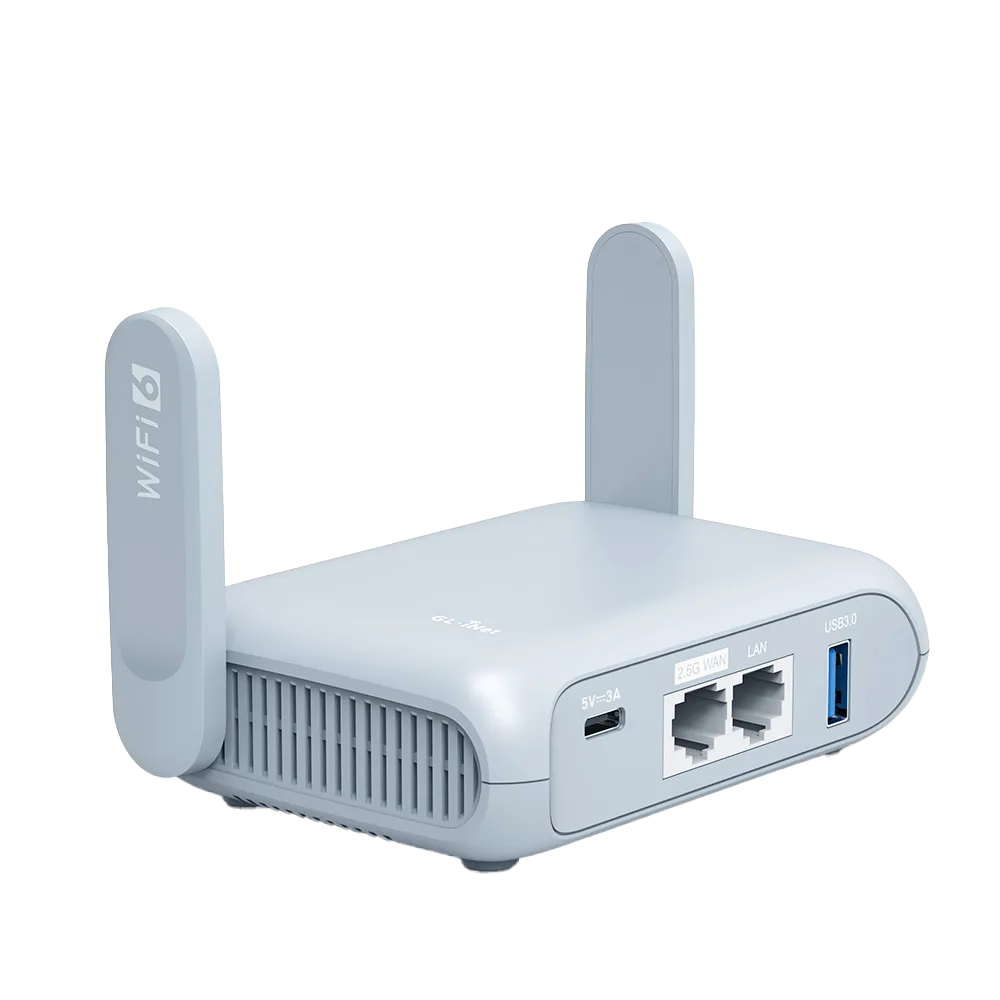
Side by side, from vendor pages
This table compares two current GL.iNet travel routers with two TP-Link travel routers using only what each vendor states. Read on 30 October 2026; nothing here is our measurement. [1][2][3][5][6]
| Item | GL.iNet Beryl AX | GL.iNet Opal | TP-Link TL-WR1502X | TP-Link TL-WR902AC |
|---|---|---|---|---|
| Firmware base | OpenWrt v21.02 per datasheet [1] | OpenWrt LuCI exposed in Advanced Settings [2] | Tether app or web interface [5] | Not described on page [6] |
| VPN client | OpenVPN, WireGuard [1] | OpenVPN, WireGuard [2] | OpenVPN, PPTP, L2TP, WireGuard [5] | None listed [6] |
| VPN server | OpenVPN, WireGuard [1] | OpenVPN, WireGuard [2] | OpenVPN, PPTP, L2TP, WireGuard [5] | None listed [6] |
| Published VPN maximum | WireGuard 300, OpenVPN 150 Mbps [1] | WireGuard 65, OpenVPN 12 Mbps [3] | Not stated [5] | Not applicable |
| Tailscale on router | Supported [7] | Unsupported [7] | Not listed [5] | Not listed [6] |
| Wi-Fi | Wi-Fi 6 [1] | Wi-Fi 5 [3] | Wi-Fi 6 [5] | Wi-Fi 5 [6] |
| Power input | USB-C 5V/3A [1] | USB-C 5V/3A [3] | 12V/1.5A adapter; USB-C needs 9V/12V PD or QC [5] | 5V/2A [6] |
| Price on vendor page | Not on datasheet | $39.99 [3] | Not shown [5] | Not shown [6] |
Firmware: open base versus app-first
GL.iNet builds its admin panel on OpenWrt. The Beryl AX datasheet names OpenWrt v21.02 and more than 5,000 ready-made plug-ins, and the Opal user guide notes that Advanced Settings opens the underlying LuCI interface. That suits people who want to add packages or inspect settings the main panel does not show. [1][2]
TP-Link describes the TL-WR1502X as managed through its Tether app or a web interface, and its page does not describe a package system. That suits people who want a phone-app setup and fewer knobs. Neither approach is better for everyone: more options also mean more ways to misconfigure a router before a trip. [5]
VPN support: what you can compare and what you cannot
Both brands' current models list WireGuard and OpenVPN as client and server, and TP-Link's TL-WR1502X adds PPTP and L2TP. GL.iNet publishes maximum throughput: 300 Mbps WireGuard on Beryl AX and 65 Mbps on Opal, from local-network tests in client mode. TP-Link's TL-WR1502X page does not publish a VPN throughput figure, so a buyer cannot compare its VPN ceiling from the spec page. [1][3][5]
TP-Link says the TL-WR1502X can run a VPN and a regular internet connection at the same time. GL.iNet's Beryl AX datasheet lists policy routing, which serves a similar purpose of choosing which traffic uses the tunnel. [1][5] The older TL-WR902AC lists PPTP and L2TP only as WAN connection types, not as a VPN client. [6]
Hotel captive portals
TP-Link describes a single flow for the TL-WR1502X: authenticate once during setup in the Tether app, and connected devices do not need to log in individually. [5]
GL.iNet documents several fallbacks when a portal does not appear: Login Mode with Camouflage on firmware v4.6 or later, temporarily disabling DNS rebinding protection, VPN and AdGuard Home, cloning a phone's MAC address, or asking staff to whitelist the router's factory MAC. GL.iNet warns that Login Mode may expose network activity to the hotspot provider. [4] More documented fallbacks are useful when a property's portal is unusual; they also take longer to work through.
Update history and how upgrades work
TP-Link's TL-WR1502X download page for hardware version 2.60 listed three releases: 1.0.0 published 14 April 2026, 1.2.0 published 14 July 2026, and 1.3.0 published 3 September 2026. The 1.3.0 notes mention a temperature control fix and an L2TP VPN disconnection fix, and TP-Link marks the later releases as not downgradable. [8]
GL.iNet's upgrade guide describes downloading firmware from its download center and uploading it with Local Upgrade, or using the in-panel Upgrade button, with a Keep Settings option that GL.iNet says not to use when downgrading. GL.iNet's model user guides also link Features Update pages for firmware v4.9, v4.10 and v4.11. Release dates from GL.iNet's download center listing are not compared numerically here; check that listing for the current cadence. [9][10]
Who each brand suits
GL.iNet suits travelers who want a router-level VPN with a published speed ceiling, Tailscale on Beryl AX, AdGuard Home and similar applications, or the ability to dig into OpenWrt. It also suits people who want to power the router from a common 5V/3A USB-C supply. [1][7]
TP-Link's TL-WR1502X suits travelers who want Wi-Fi 6, a phone-app setup and a single documented hotel login flow, and who have a 9V or 12V PD or QC power source or will carry the included adapter. The TL-WR902AC suits only basic Wi-Fi sharing on slow connections, given its 10/100 port and no listed VPN. [5][6]
- Need published VPN speed: GL.iNet
- Want Tailscale on the router: Beryl AX (Opal is listed unsupported)
- Prefer an app-led setup: TP-Link TL-WR1502X
- Power from a 5V USB-C bank: GL.iNet models list 5V/3A
Watch demos / Official walkthroughs
See the hardware in action.
Videos load from YouTube only when you press play. These are provider videos, not our own product tests.
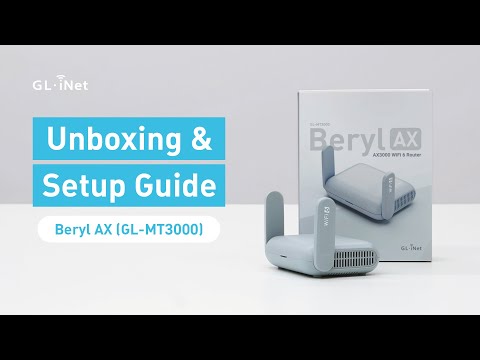
GL.iNet / Official video
Beryl AX (GL-MT3000) - Unboxing and Setup Guide
What to look for: Identify the hardware connections and setup steps for Beryl AX; other models can differ.
Watch on YouTubeQuestions before you decide
Is GL.iNet firmware really OpenWrt?
GL.iNet's Beryl AX datasheet lists OpenWrt v21.02 as the operating system and says it supports more than 5,000 ready-made plug-ins. GL.iNet's Opal user guide says its Advanced Settings page exposes the OpenWrt LuCI interface. The GL.iNet admin panel sits on top of that base.
How often does TP-Link update the TL-WR1502X?
TP-Link's download page for hardware version 2.60 listed three firmware releases published on 14 April, 14 July and 3 September 2026. The two later releases are marked as not downgradable to the previous version.
Which brand handles hotel login pages better?
We have not tested either. TP-Link says the TL-WR1502X authenticates once during setup in the Tether app. GL.iNet documents a Login Mode, a Camouflage MAC option, manual MAC cloning and DNS or VPN changes for portals that do not appear. GL.iNet's documentation gives more fallback steps; TP-Link's describes a simpler single flow.
Sources & verification
Product details and prices can change. Check the linked provider before buying.
- GL.iNet Beryl AX (GL-MT3000) datasheet, version 20250320 Accessed 30 Oct 2026
- GL.iNet Router Docs 4: GL-SFT1200 (Opal) user guide Accessed 30 Oct 2026
- GL.iNet Opal (GL-SFT1200) product page and specifications Accessed 30 Oct 2026
- GL.iNet Router Docs 4: Connect to a hotspot with captive portal Accessed 30 Oct 2026
- TP-Link TL-WR1502X AX1500 travel router specifications Accessed 30 Oct 2026
- TP-Link TL-WR902AC AC750 travel router specifications Accessed 30 Oct 2026
- GL.iNet Router Docs 4: Tailscale supported and unsupported models Accessed 30 Oct 2026
- TP-Link TL-WR1502X firmware downloads Accessed 30 Oct 2026
- GL.iNet Router Docs 4: How to upgrade or downgrade router firmware Accessed 30 Oct 2026
- GL.iNet Router Docs 4: GL-MT3000 (Beryl AX) user guide Accessed 30 Oct 2026
Sources link directly to providers. Product buttons may use separately labeled affiliate links. Read our disclosure.