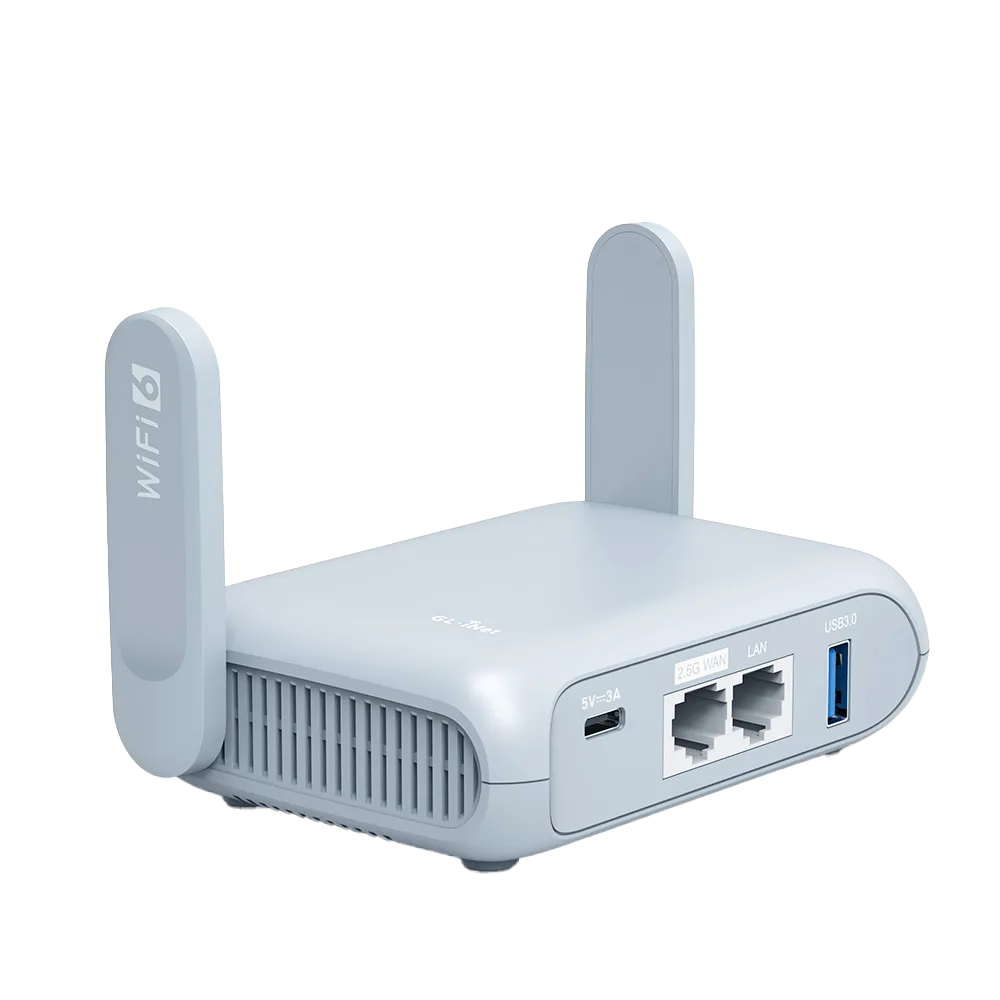
Travel routers: hotel Wi-Fi, setup and model comparisons
Decide whether a travel router fits your trips, compare models, and fix hotel, rental, cruise and dorm Wi-Fi problems step by step.
Start with the question most people skip: do you need a travel router at all? If you mainly stay in hotels with one laptop and one phone, a VPN app or your phone's hotspot may already cover you. A router starts to earn its place when you carry several devices, need a TV, console or work laptop on the same network, or keep fighting login pages and device limits. Read the decision guide and the VPN-or-router guide before you look at any model.
If the answer is yes, narrow by how you will connect. Hotel Ethernet, hotel Wi-Fi with a captive portal, a phone hotspot, a SIM or 5G modem, and campground or cruise Wi-Fi each put different demands on ports, radios and power. Our situation guides cover each case, so pick the ones that match your trips, then move to the head-to-head comparisons and single-model reviews with that short list of requirements in hand.
After you buy, use the first-setup guide, the network modes explainer and the packing checklist before you leave home. Keep the troubleshooting pages for the road: captive portal logins that will not open, a repeater that connects with no internet, and casting or console problems on shared networks.
A spec-by-spec comparison of GL.iNet's $39.99 Opal and $98.99 Beryl AX travel routers: ports, Wi-Fi, VPN speed limits, power and weight, with who should buy which and who should buy neither.
Official specs for Beryl AX next to GL.iNet Opal, TP-Link TL-WR1502X, TP-Link TL-WR902AC and ASUS RT-AX57 Go: Wi-Fi standard, WAN speed, VPN support, tethering and power, with decision rules by trip type.
Research comparison (vendor specification pages; no firsthand testing)Read guide
A brand-level comparison from vendor spec and support pages: GL.iNet's OpenWrt-based firmware and plug-ins against TP-Link's Tether-app firmware, VPN client and server options, hotel login handling, update history and power needs.
Research comparison (vendor specification and support pages; no firsthand testing)Read guide
Compares a router with built-in cellular, a USB modem plugged into a travel router, and plain phone tethering on hardware, SIM handling, plan restrictions and setup, with a two-week trip worked through.
Spec-sheet comparison of GL.iNet Beryl AX (GL-MT3000) and ASUS RT-AX57 Go: ports, USB tethering, VPN client and server support, hotel login handling, power input and price, with who should pick each and who should skip both.
Entry-level GL.iNet decision from the official spec pages: dual-band Opal (GL-SFT1200) versus single-band Mango (GL-MT300N-V2), with port count, power input, published VPN figures, firmware documentation and two worked examples.
How to choose a travel router for months-long stays, from GL.iNet specifications and documentation: a home-router tunnel for a stable home IP, phone tethering as a fallback, power input, realistic VPN throughput, and when a phone hotspot is enough.
Research guide (vendor datasheets and documentation; no firsthand testing)Read guide
A research review of GL.iNet's Beryl AX built from its datasheet and firmware documentation: the 2.5G WAN port, listed VPN ceilings, USB tethering, hotel login handling, power draw and size, with who should buy it and who should skip it.
Research review (vendor datasheet and documentation; no firsthand testing)Read guide
A research review of GL.iNet's $39.99 Opal from its product page and documentation: Wi-Fi 5, three gigabit ports, a 65 Mbps WireGuard ceiling and a 12 Mbps OpenVPN ceiling, with a worked example of when the VPN limit bites and when to step up.
Research review (vendor product page and documentation; no firsthand testing)Read guide
Map every cable, port and power source for an Opal or Beryl AX travel kit before you pack, with a port-by-port table and a home test that catches missing adapters.
A step-by-step fix for the hotel sign-in page that never appears behind a GL.iNet travel router: what to check first, the three documented fixes, and how to turn your protections back on.
A VPN protects the path from your device; a travel router gives you your own small network behind one hotel login. Which one you need, when you need both, and what each costs.
Router-level VPN covers every client on your travel LAN but is capped by the router; a device app moves with the device. Compare listed throughput, kill-switch scope and setup work.
When your phone is the only internet connection, a GL.iNet travel router can take it over a USB cable or as a Wi-Fi repeater. Check the carrier plan, power, and heat before adding the router at all.
A decision checklist for rentals: weak signal in one room, a shared host network, streaming-stick logins and work calls. What a travel router can fix, what it cannot (a slow upstream line), and how to read Airbnb's wifi speed labels before booking.
Research guide (platform help pages and vendor documentation; no firsthand testing)Read guide
What Carnival, Royal Caribbean and Norwegian publish about Wi-Fi device limits and prohibited equipment, why a travel router is banned or at risk on these lines, and the cheaper legal ways to connect several devices.
Research guide (cruise line policy and package pages; no firsthand testing)Read guide
Why a Chromecast or Google TV Streamer fails on hotel Wi-Fi (captive portals and client isolation), how putting the stick and your phone on a travel router's private network works around both, a step checklist from Google and GL.iNet documentation, and what a router cannot fix.
Research guide (Google and GL.iNet documentation; no firsthand testing)Read guide
Why consoles stall on hotel login pages and restrictive NAT, what Nintendo and Sony document, when the console's own login flow is enough, and the router-side steps that help, including why UPnP on a travel router usually cannot open a hotel's NAT.
Research guide (Nintendo, Sony and GL.iNet documentation; no firsthand testing)Read guide
A pre-trip setup sequence for a GL.iNet travel router, done at home from GL.iNet documentation: admin password, firmware check, network name, a repeater test, a VPN profile and a settings backup, with a printable checklist.
What each GL.iNet network mode does, when to use it in a hotel, a rental with Ethernet or at home, and which features you lose: VPN, AdGuard Home, guest Wi-Fi and the login-page helper.
University residence hall policies range from an outright ban on personal wireless routers to allowing a registered wired-only router. Here is what five IT departments say, why, and a checklist for reading your own school policy before you buy.
Why a router VPN plus a company VPN can stall a work laptop, how to keep the laptop out of the router tunnel on GL.iNet firmware, which MTU numbers vendors publish, and what to ask IT before the trip.
When the room's wall jack is worth trying, how GL.iNet's Ethernet WAN settings work, what to do about a wired login page, and a short troubleshooting tree for jacks that give no internet.
Repeating park Wi-Fi with a travel router, adding a cellular router with a roof antenna, or pairing cellular with satellite: what GL.iNet documents for each, who each fits, and what to measure at the site.
What GL.iNet's Parental Control and AdGuard Home features do according to its docs, which travel models support them, and how they compare with Apple Screen Time and Google Family Link on the device.
Only the promotions GL.iNet publishes on its own store, checked 30 October 2026: the Student Beans student discount, the Weekly Wednesday Deals newsletter and promotion return rules, with a worked price example for Beryl AX, Opal and Flint 2.
What to check when a GL.iNet travel router says the repeater is connected but the internet cannot be accessed: captive portal login mode, subnet conflicts, DNS and AdGuard Home settings, and VPN kill switch behaviour, from GL.iNet's own documentation.
A plain-language explanation of how a travel router works: where its internet comes from, how NAT and a private network let one hotel login cover every device, and what the box cannot fix. Specs from GL.iNet product pages.
A timed first-use sequence for a GL.iNet travel router in a hotel: power and connect, join the hotel Wi-Fi in Repeater, finish the portal, check your devices, then turn on a VPN last. Built from GL.iNet documentation.
Forty-one travel router terms defined in a sentence or two, each with what it means in a hotel or rental and the GL.iNet documentation page where its setting lives. Grouped by setup, connection source and security.
What Delta and Southwest publish about in-flight Wi-Fi logins and devices, why a pass bought for one device should not be shared through a router, what a travel router draws from seat power, and when a phone or laptop alone is simpler.
Which GL.iNet routers can join WPA-Enterprise (802.1X/EAP) networks such as eduroam, the model and firmware caveats in GL.iNet's own tutorial, the parameters to ask IT for, the credential-responsibility question, and wired and tethering fallbacks.
How regulatory domains set Wi-Fi channels and power by country, why a router under one country's rules may not see a hotel network on another country's channels, and what GL.iNet documents about region, channel and transmit power.
What the Beryl AX and Opal USB ports can do as network storage, per GL.iNet documentation: Samba, WebDAV and DLNA support, drive formats, the FAT32 4 GiB file limit, power, and the sharing settings to check before you plug a drive in.
Research guide (GL.iNet documentation and datasheets, Microsoft file system reference; no firsthand testing)Read guide
A dated checklist for remote workers: what to settle two weeks out, what to rehearse at home a week before, what to write down the night before and what to do on arrival, using GL.iNet, NordVPN and Proton VPN documentation.
Research guide (GL.iNet, NordVPN and Proton VPN documentation; no firsthand testing)Read guide