Draw the connections, then pack one item per arrow
Sketch three lines: internet source to router, router to each device, power to router. Every arrow becomes a cable, adapter or charger in the bag. The common mistake is forgetting that a wired hotel connection uses the router's WAN port, so it is not available for a laptop.
This is a research guide from GL.iNet's product pages and documentation, checked 29 October 2026. We have not tested specific cables, chargers or adapters. [1][2][3]
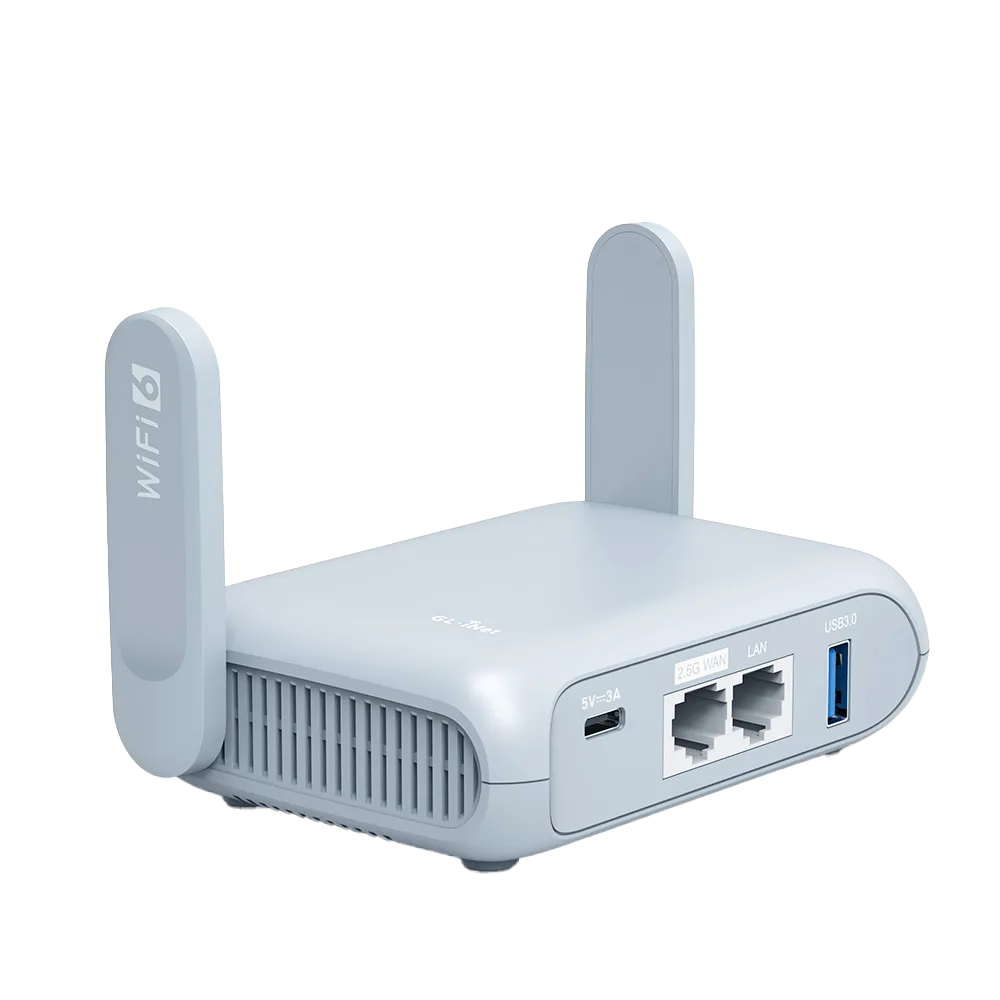
Port by port: Opal and Beryl AX
Specifications from GL.iNet's product pages. Port speeds are link limits, not the internet speed you will get. [1][2]
| Port | Opal (GL-SFT1200) | Beryl AX (GL-MT3000) | Typical use |
|---|---|---|---|
| WAN Ethernet | 1 x gigabit | 1 x 2.5G | Hotel or office wired connection |
| LAN Ethernet | 2 x gigabit | 1 x gigabit | Wired laptop, console, streaming box |
| USB | USB 2.0 | USB 3.0 | USB devices such as storage, a tethered phone or an Ethernet adapter; check the model's guide |
| Power | USB-C 5V/3A, under 6 W | USB-C 5V/3A, under 8 W | Charger or power bank |
| Weight | 145 g | 196 g | Bag weight |
Common kits and what to pack
| Setup | Router port use | Pack |
|---|---|---|
| Hotel Wi-Fi in, all devices on Wi-Fi | No Ethernet used | Router, USB-C cable, 5V/3A charger |
| Hotel Ethernet in, devices on Wi-Fi | WAN | Add 1 Ethernet cable |
| Hotel Ethernet in, one wired laptop | WAN + 1 LAN | 2 Ethernet cables; USB-C Ethernet adapter if the laptop has no port |
| Hotel Ethernet in, two wired devices | WAN + 2 LAN (Opal) or WAN + 1 LAN + switch (Beryl AX) | 3 Ethernet cables; small switch and its power if Beryl AX |
| Phone tethering in, devices on Wi-Fi | USB | Phone-to-router USB cable that carries data, not charge-only |
Adapters: where kits usually fail
A laptop without an Ethernet port needs a USB-C or Thunderbolt Ethernet adapter that works with that laptop; check the laptop and adapter makers' compatibility notes. A charge-only USB cable will power a phone but will not carry tethering data. Label cables so you do not grab the wrong one at the hotel.
If you want a second wired internet source, GL.iNet documents doing it with an Ethernet-to-USB-A adapter plugged into the router's USB port. For a Realtek adapter it names the kmod-usb-net-rtl8152 driver, installed from Application, Plug-ins; then INTERNET, Tethering shows the connection and a green dot with an IP address confirms it after about a minute. GL.iNet says its routers support common adapters but does not list models, so treat any specific adapter as unconfirmed until it works on your router. [3]
Power: check the label, not the plug
Both routers list a USB-C 5V/3A input. A 5V/3A rating is 15 W; many power banks and laptop chargers offer it, but older phone chargers may not. Read the output line printed on the charger or power bank. If you plan to run from a power bank, size it to the trip: GL.iNet lists power consumption under 6 W for Opal and under 8 W for Beryl AX. [1][2]
The home test before you leave
A home test proves the cables, adapters and power work together. It does not prove the hotel's port is live or that its sign-in page will cooperate. Keep the option of connecting a laptop directly to the hotel network as a fallback.
- Assemble the exact kit you will pack, including the charger and every cable.
- Plug the router's WAN into your home router to imitate hotel Ethernet; confirm internet on every device.
- Connect each wired device; confirm it gets internet, not just a link light.
- If you will tether, connect the phone by USB and confirm the router shows it as the internet source.
- Unplug the power for ten seconds, restore it, and confirm everything reconnects.
- Write down anything you had to borrow or swap; that item goes in the bag.
Watch demos / Official walkthroughs
See the hardware in action.
Videos load from YouTube only when you press play. These are provider videos, not our own product tests.
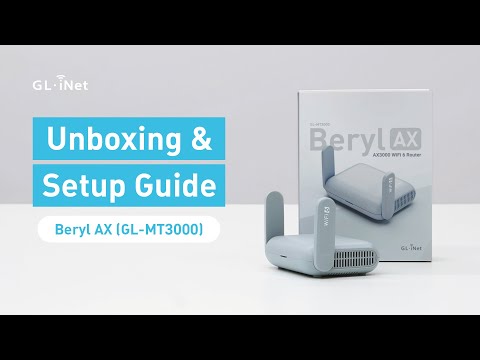
GL.iNet / Official video
Beryl AX (GL-MT3000) - Unboxing and Setup Guide
What to look for: Identify the hardware connections and setup steps for Beryl AX; other models can differ.
Watch on YouTubeQuestions before you decide
Can I power a GL.iNet travel router from a power bank?
Both Opal and Beryl AX list a USB-C power input rated 5V/3A, with power consumption under 6 W and under 8 W respectively. A power bank or charger that can deliver 5V/3A over USB-C meets the stated input; check the output rating printed on yours.
Can I use a USB Ethernet adapter as a second internet connection?
GL.iNet documents adding a second wired WAN through an Ethernet-to-USB-A adapter on a single-WAN-port router. For a Realtek adapter it names the kmod-usb-net-rtl8152 driver, installed from Application, Plug-ins; the connection then appears under INTERNET, Tethering. It does not list specific supported adapter models.
Will a 2.5G WAN port make hotel Ethernet faster?
Only if the hotel's wired connection is faster than gigabit, which is uncommon. The port rating is an upper limit on the link to the wall, not the internet speed the hotel supplies.
Sources & verification
Product details and prices can change. Check the linked provider before buying.
- GL.iNet: Opal (GL-SFT1200) price and specifications Accessed 29 Oct 2026
- GL.iNet: Beryl AX (GL-MT3000) interfaces and power specifications Accessed 29 Oct 2026
- GL.iNet: Dual wired WAN via Ethernet-to-USB-A adapter Accessed 29 Oct 2026
Sources link directly to providers. Product buttons may use separately labeled affiliate links. Read our disclosure.