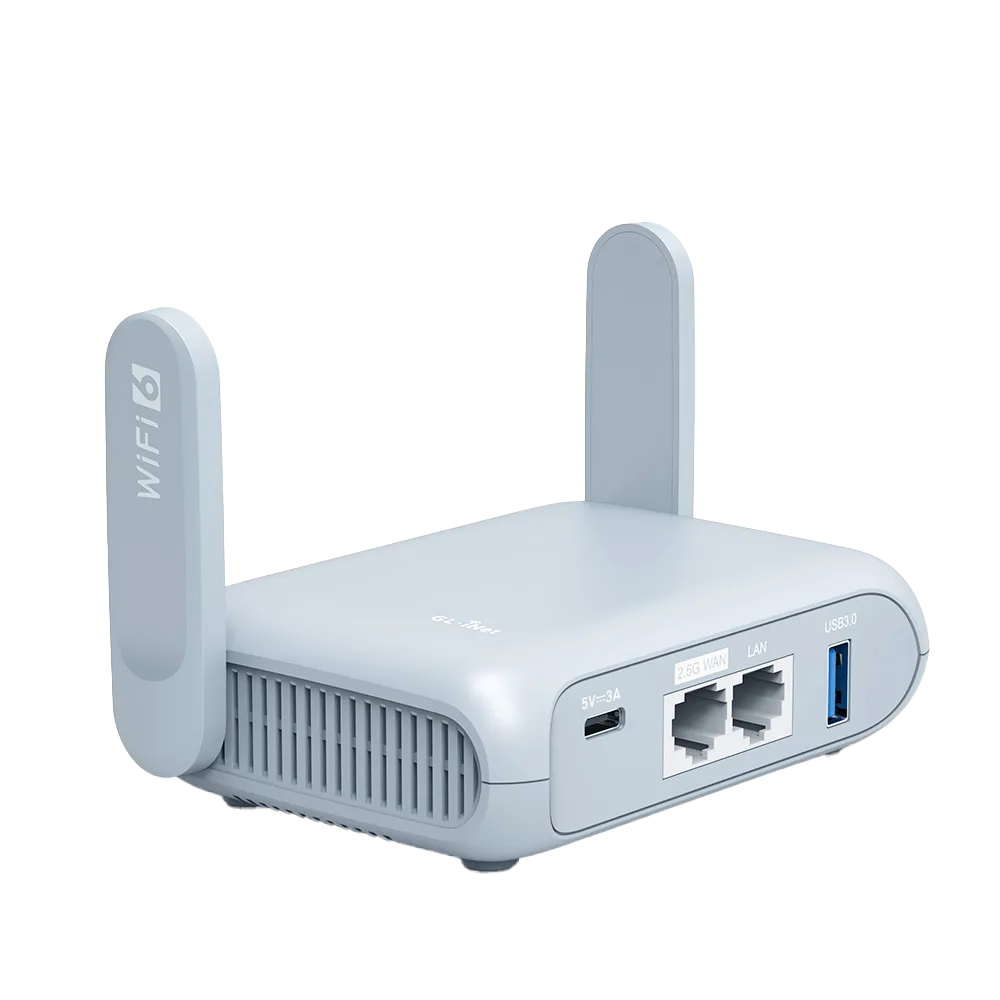
The short version: one connection in, one private network out
A travel router sits between the venue's internet and your devices. On one side it takes a single upstream connection. On the other it broadcasts its own Wi-Fi name and password, which never change from trip to trip. Your laptop, phone, tablet and streaming stick remember that network once and reconnect to it in every hotel.
GL.iNet describes Router mode as the default operating mode for most home and small office routers: it enables NAT, DHCP and a built-in firewall, and assigns private addresses to the devices connected to it. [1] NAT (network address translation) is the trick that matters: many devices inside share one outside address, so the network you are visiting deals with one client instead of six.
This guide is research from GL.iNet documentation and product pages. It is not a record of our own hotel testing.
Where the internet comes from, and what your devices see
GL.iNet's setup guide lists four ways to give the router internet: an Ethernet cable, an existing Wi-Fi network (Repeater), USB tethering, or a USB modem. [9] Whatever the source, your devices always see the same private network, by default at 192.168.8.1. [9]
| Upstream source | How the router joins it | GL.iNet menu | What your devices see | Watch for |
|---|---|---|---|---|
| Hotel or rental Wi-Fi | Joins the venue SSID as a Wi-Fi client | INTERNET > Repeater [2] | Your own SSID and password | Only networks on channels the router supports appear in the scan [2] |
| Wall Ethernet port | Cable into the router's WAN port; DHCP by default, Static or PPPoE if required [5] | INTERNET > Ethernet [5] | Same private network | A VLAN ID is needed only if the provider requires a tagged VLAN [5] |
| Phone USB tethering | Phone on the USB port, Personal Hotspot or USB Tethering turned on [4] | INTERNET > Tethering [4] | Same private network | Some carriers limit or charge extra for tethering [4] |
| USB cellular modem | Modem on the USB port [9] | See GL.iNet setup guide [9] | Same private network | Opal lists USB 3G/4G modems [7]; check modem support for your model |
Why one captive-portal login covers every device
A captive portal is the hotel page that asks for a room number or a click on Accept before the internet opens. Each phone or laptop that joins hotel Wi-Fi directly has to pass it. Behind a travel router only the router is on the hotel network, so you complete the portal once, from any one device connected to the router, and the access applies to the router's connection.
GL.iNet's captive-portal help shows the mechanism indirectly. When the portal will not open, its fixes include cloning the MAC address your phone used on the hotel network onto the router, or asking hotel staff to whitelist the router's factory MAC address. [3] In both cases the hotel is identifying one address, the router's, not every device behind it.
Firmware 4.6 and later adds Auto-Enable Login Mode for Public Hotspots. When it is on, the router uses a login mode for public hotspots in which some services are suspended and DNS switches to automatic. GL.iNet warns this may expose network activity to the hotspot provider. [2] If the portal still fails, the step-by-step fixes are in our captive-portal checklist.
What a travel router cannot do
It cannot add bandwidth. Every device shares the one upstream link. When a repeater connection shows as connected but has no internet, GL.iNet's first check is whether the upstream Wi-Fi itself has internet. [2]
It can slow a VPN. Running a VPN on the router moves the encryption work onto a small processor. Beryl AX lists maximums of 300 Mbps for WireGuard and 150 Mbps for OpenVPN. [6] Opal's product page lists up to 65 Mbps WireGuard and 12 Mbps OpenVPN in client mode from a local test, and says server mode is slower. [7]
It cannot always hide from venue controls. If the venue's own network uses the same address range as the router's private network, GL.iNet shows a subnet-conflict warning and asks you to change the LAN subnet, for example to 192.168.10.1. [8] And it does not change the venue's rules: if your booking or the network's terms limit how a connection may be used, a router does not lift those limits.
Two GL.iNet examples, spec for spec
Both are pocket routers that take USB-C power. The differences that matter for most travellers are Wi-Fi generation, VPN speed and the Ethernet ports. All figures below are vendor-listed, not measured by us.
| Item | Beryl AX (GL-MT3000) | Opal (GL-SFT1200) |
|---|---|---|
| Wi-Fi | Wi-Fi 6: 574 Mbps (2.4 GHz), 2402 Mbps (5 GHz) [6] | Wi-Fi 5: 300 Mbps (2.4 GHz), 867 Mbps (5 GHz) [7] |
| Processor / memory | MT7981B 1.3 GHz dual-core; 512 MB DDR4 / 256 MB NAND [6] | SF19A28 1 GHz dual-core; 128 MB DDR3 / 128 MB NAND [7] |
| Ethernet | 1 x 2.5G WAN, 1 x 1G LAN [6] | 1 WAN, 2 LAN, all gigabit [7] |
| USB | USB 3.0 Type-A [6] | USB 2.0 [7] |
| Power | USB Type-C, 5V/3A; under 8 W [6] | Type-C, 5V/3A; under 6 W [7] |
| VPN maximums | WireGuard 300 Mbps, OpenVPN 150 Mbps [6] | WireGuard up to 65 Mbps, OpenVPN up to 12 Mbps (client mode) [7] |
| Size / weight | 120 x 83 x 34 mm, 196 g [6] | 118 x 85 x 30 mm, 145 g [7] |
Who needs one, and who can skip it
Worked example (hypothetical numbers): a family of four travels with two phones each for the adults, two tablets, two laptops and a streaming stick, nine devices in total. Without a router, each device joins the hotel Wi-Fi and passes the portal itself, and the stick may have no browser to do it. With a router, the nine devices join one familiar network at home before the trip, and someone completes the portal once per hotel.
The case is weaker for a solo traveller with one laptop and a phone. Both can pass the portal directly, and the phone's own hotspot covers the occasional gap.
- Likely worth it: several devices per room, devices with no browser for the portal, a wall Ethernet port and Wi-Fi-only laptops, or a VPN you want on every device without installing apps.
- Likely worth it: long stays where you want your devices to reconnect automatically to the same network name every time.
- Probably skip: one or two devices that pass the portal on their own, short trips, or a fast phone plan you already tether from.
- Probably skip: when the venue line is the bottleneck. The router shares that line; it does not improve it.
Watch demos / Official walkthroughs
See the hardware in action.
Videos load from YouTube only when you press play. These are provider videos, not our own product tests.
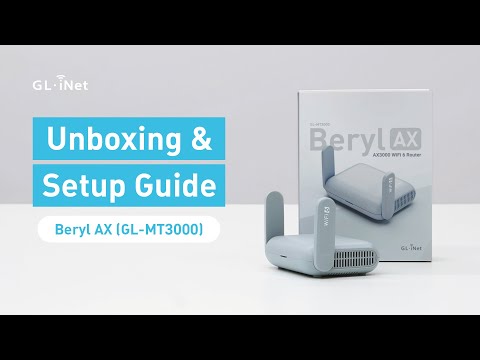
GL.iNet / Official video
Beryl AX (GL-MT3000) - Unboxing and Setup Guide
What to look for: Identify the hardware connections and setup steps for Beryl AX; other models can differ.
Watch on YouTubeQuestions before you decide
Does a travel router make hotel Wi-Fi faster?
No. Every device behind the router shares the one upstream connection, so the hotel line is the ceiling. GL.iNet's own troubleshooting advice, when a repeater link shows connected but has no internet, is to first check that the upstream Wi-Fi itself has internet. A router can improve how your devices connect inside the room, not the hotel's bandwidth.
Why do my devices not need to log in to the hotel portal one by one?
In Router mode a GL.iNet router enables NAT, DHCP and a firewall and gives your devices private addresses. The hotel network deals with the router, not with each phone or laptop behind it. When the portal identifies devices by MAC address, it sees the router's address, which is why GL.iNet suggests cloning a phone's MAC or asking the hotel to whitelist the router's MAC when a portal will not open.
What internet sources can a GL.iNet travel router use?
GL.iNet's setup guide lists an Ethernet cable, an existing Wi-Fi network (Repeater), USB tethering from a phone, or a USB modem. The Opal product page lists Ethernet, Wi-Fi repeater, USB 3G/4G modem and phone tethering. Carrier rules may limit or charge for tethering.
Will a VPN on the router slow things down?
It can. GL.iNet lists maximum VPN speeds of 300 Mbps WireGuard and 150 Mbps OpenVPN for Beryl AX, and up to 65 Mbps WireGuard and 12 Mbps OpenVPN for Opal in client mode. If the hotel line is faster than those figures, the router's VPN speed becomes the limit.
Sources & verification
Product details and prices can change. Check the linked provider before buying.
- GL.iNet Router Docs 4: Network Mode Accessed 30 Oct 2026
- GL.iNet Router Docs 4: Repeater Accessed 30 Oct 2026
- GL.iNet Router Docs 4: How to connect a GL.iNet router to public hotspots with a Captive Portal Accessed 30 Oct 2026
- GL.iNet Router Docs 4: Tethering Accessed 30 Oct 2026
- GL.iNet Router Docs 4: Ethernet Accessed 30 Oct 2026
- GL.iNet: GL-MT3000 (Beryl AX) datasheet, ver. 20250320 Accessed 30 Oct 2026
- GL.iNet: Opal (GL-SFT1200) product page Accessed 30 Oct 2026
- GL.iNet Router Docs 4: How to resolve a subnet conflict? Accessed 30 Oct 2026
- GL.iNet Router Docs 4: First time setup Accessed 30 Oct 2026
Sources link directly to providers. Product buttons may use separately labeled affiliate links. Read our disclosure.