The short version
A company laptop usually runs a VPN client that IT has configured and monitors. A travel router can run its own VPN too. When both are on, the laptop's work traffic is wrapped in one tunnel and then wrapped again by the router. That can work, but it adds overhead and a second point of failure that IT cannot see.
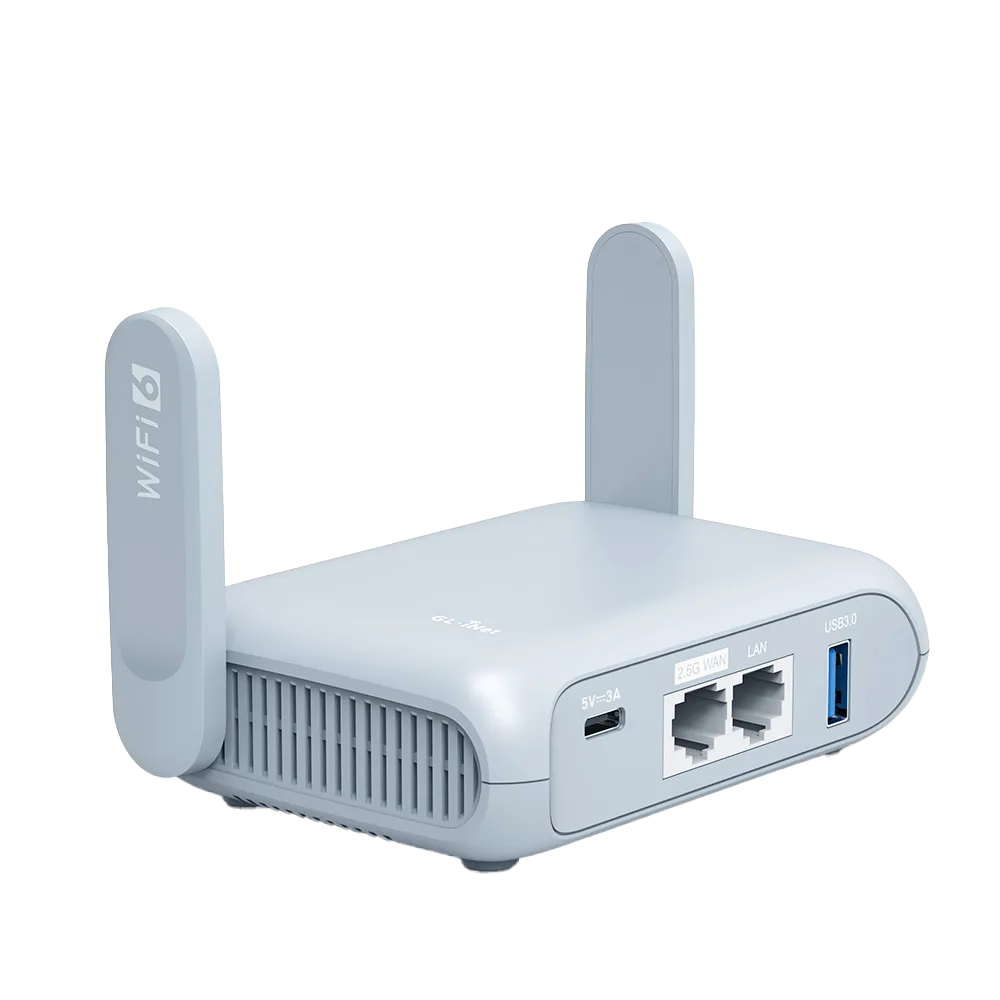
The cleanest setup for most trips is simple: the router handles the hotel login and gives you a private Wi-Fi network, the work laptop runs only the company VPN, and any router VPN is reserved for personal devices. GL.iNet firmware supports that split by excluding a device from a tunnel rule by MAC address. [1]
| Setup | Work laptop path | Main risk | When it fits |
|---|---|---|---|
| Router VPN off | Company VPN only | Personal devices are not covered by a router tunnel | Default for most work trips; fewest moving parts |
| Router VPN on, laptop excluded by MAC [1] | Company VPN only | Rule stops matching if the laptop's MAC address changes | You want a router tunnel for phones and tablets |
| Router VPN on for every device | Company VPN inside router VPN | Extra overhead, packet-size problems, a tunnel IT did not approve | Only when IT has said it is allowed and you have tested it before travelling |
| Router Enhanced Kill Switch on [1] | Forced through a router VPN | GL.iNet describes it as forcing all devices through a VPN, which defeats a laptop exclusion | Rarely with a work laptop on the network |
Why two tunnels break things
Every tunnel wraps each packet in extra headers. Cisco's fragmentation guide puts it plainly: tunnels cause more fragmentation because the tunnel encapsulation adds overhead to the size of a packet. Stack two tunnels and the overhead stacks too. [4]
Networks normally cope by telling the sender to use smaller packets, a process called path MTU discovery. Cisco notes that it depends on ICMP unreachable messages getting back to the sender. When a hotel network or firewall drops those messages, the sender keeps sending packets that are too large and they never arrive. [4]
Cisco's suggested workarounds are lowering the tunnel MTU so it accounts for all the encapsulation and adjusting TCP MSS so hosts use smaller packets. On a travel trip you control only the router's tunnel, which is why the router side is where you adjust first. [4]
The MTU numbers vendors publish
These are the documented defaults and suggested values we found. They are starting points to discuss with IT, not settings to copy blindly. [2][3]
- GL.iNet notes that an MTU value set for a tunnel overrides the MTU in the configuration file, so a value you typed earlier may still be in force. [1]
- Palo Alto's manual change uses netsh on Windows or ifconfig on macOS, which need administrator rights that a managed laptop may not give you. [3]
| Layer | Documented default | Suggested or example lower value | Who controls it |
|---|---|---|---|
| GL.iNet router VPN client | 1420 [2] | 1380 or 1280 [2] | You, in VPN Client Options |
| GL.iNet Ethernet WAN | 1500 [5] | Not given | You, in INTERNET > Ethernet advanced settings |
| Palo Alto GlobalProtect virtual adapter | 1400 [3] | 1300 used as the example [3] | IT; app 5.2.4 or later with a recent content release can set it centrally [3] |
Keep the laptop out of the router tunnel
In GL.iNet's VPN Dashboard each tunnel rule has a client source and a target. Choosing 'All Clients' sends every device through the rule. 'Exclude Specified Devices' leaves out devices identified by MAC address. 'Allow Non-VPN Traffic' is enabled by default so excluded devices still reach the internet directly. [1]
Because the exclusion matches a MAC address, check the address the router lists for the laptop after it joins your travel network and add that one. If the laptop presents a different address on a later connection, the rule will stop matching and its traffic will go through the router tunnel again.
Leave 'Services from GL.iNet Use VPN' at its default unless you need it; GL.iNet says it is off by default and sends GoodCloud, DDNS and rtty traffic through the tunnel when enabled. Avoid the Enhanced Kill Switch on a network that includes the work laptop, since GL.iNet describes it as forcing all devices through a VPN. [1]
What to ask IT before the trip
Send these questions a week before you travel. If the answer is that a personal router is not allowed, plug the laptop into nothing but the hotel network or a company-issued hotspot and keep the router for personal devices.
- Is connecting the work laptop through a personal travel router allowed, and does policy say anything about router-level VPNs?
- Does the company VPN client have a centrally set MTU, and who can change it if work traffic stalls? Palo Alto documents central MTU control from GlobalProtect app 5.2.4. [3]
- Is the VPN split-tunnel or full-tunnel, so you know whether personal browsing on the laptop leaves through the company network?
- Are there countries where you should not connect, or where a different gateway is expected?
- Who do you contact when the VPN fails outside office hours, and what details will they ask for?
A troubleshooting order that avoids guesswork
- Log in to the hotel portal with every router VPN disabled, as GL.iNet's captive portal FAQ instructs, together with DNS rebinding protection and AdGuard Home off. [6]
- Connect the laptop to the travel router with no router VPN running and start the company VPN. If it fails here, the problem is not double tunnelling.
- If it works, turn the router VPN on with the laptop excluded, and confirm the work VPN still connects and loads a large internal page.
- Only if IT has approved a double tunnel, include the laptop and test again. If large transfers stall, lower the router VPN MTU from 1420 to 1380, then 1280, as GL.iNet suggests. [2]
- If nothing helps, turn the router VPN off for the trip and report the symptom to IT with the hotel name, time and what you changed.
Worked example: a fictional consultant
Priya carries a managed Windows laptop running the company VPN, a personal phone and a tablet. She wants the phone and tablet in a router WireGuard tunnel on hotel Wi-Fi. She sets the router rule to cover all clients, adds the laptop's MAC address under 'Exclude Specified Devices', leaves 'Allow Non-VPN Traffic' on and leaves the Enhanced Kill Switch off. [1]
On the first night the hotel portal will not load until she turns the router VPN off, logs in and turns it back on. [6] The work VPN then behaves as it does at home because the laptop is outside the router tunnel. She never needs to touch the laptop's adapter settings, which her IT team controls.
Who should skip the router for the work laptop
Skip it if your employer forbids personal network equipment, if the laptop must connect only to company-approved networks, or if your VPN client already refuses connections behind NAT. In those cases the travel router is still useful for personal devices, but the laptop should follow IT's instructions. This guide is based on vendor documentation; we have not tested these configurations with a corporate VPN.
Watch demos / Official walkthroughs
See the hardware in action.
Videos load from YouTube only when you press play. These are provider videos, not our own product tests.

GL.iNet / Official video
Beryl AX (GL-MT3000) - Unboxing and Setup Guide
What to look for: Identify the hardware connections and setup steps for Beryl AX; other models can differ.
Watch on YouTubeQuestions before you decide
Can I keep the travel router VPN on for my phone but off for my work laptop?
GL.iNet's VPN Dashboard documentation describes an 'Exclude Specified Devices' client source option: traffic from devices identified by MAC address will not match the tunnel rule. It also describes 'Allow Non-VPN Traffic', enabled by default, so non-matching traffic can still reach the internet. Check the setting on your firmware version before the trip.
What MTU should I try if the work VPN stalls behind a travel router?
GL.iNet says its VPN client default MTU is 1420 and suggests trying 1380 or 1280 in VPN Client Options when a network limits packet size. Palo Alto documents a GlobalProtect adapter default of 1400 and shows 1300 as an example value. Those are vendor starting points, not a guaranteed fix, and the laptop setting belongs to IT on a managed device.
Should the router VPN be on while I log in to hotel Wi-Fi?
No. GL.iNet's captive portal FAQ tells you to make sure all VPN connections are disabled, along with DNS rebinding protection and AdGuard Home, while you complete the hotel login. Turn the VPN back on after the portal has granted access.
Sources & verification
Product details and prices can change. Check the linked provider before buying.
- GL.iNet Router Docs: VPN Dashboard Accessed 30 Oct 2026
- GL.iNet Router Docs: Why is my VPN speed slower than expected Accessed 30 Oct 2026
- Palo Alto Networks Knowledge Base: How to change MTU on PANGP Virtual Adapter used by GlobalProtect App Accessed 30 Oct 2026
- Cisco: Resolve IPv4 Fragmentation, MTU, MSS, and PMTUD Issues with GRE and IPsec Accessed 30 Oct 2026
- GL.iNet Router Docs: Ethernet Accessed 30 Oct 2026
- GL.iNet Router Docs: Connect to a hotspot with captive portal Accessed 30 Oct 2026
Sources link directly to providers. Product buttons may use separately labeled affiliate links. Read our disclosure.