Find the failing step before changing anything
Three separate things have to work: your laptop joins the travel router, the router joins the hotel Wi-Fi, and the hotel's sign-in page (the captive portal) grants internet access. Any one of them can fail while the others look fine. Spend two minutes locating the broken step; it decides everything that follows.
This guide is a research guide built from GL.iNet's firmware 4 documentation, not a record of testing at hotels. Menu names below match GL.iNet's current help page; check your installed firmware version under the router's system page before following them. [1]
| Check | How to do it | If it fails |
|---|---|---|
| Does the hotel login work at all? | Turn off cellular on your phone, join the hotel Wi-Fi directly, sign in, open a new HTTPS site | Stop. Ask the front desk; the router cannot fix a room or credential problem |
| Can your laptop reach the router? | Open the router admin page from the laptop | Rejoin the router's own Wi-Fi name; check its admin address |
| Has the router joined the hotel network? | Admin page, INTERNET, Repeater: correct hotel network listed and connected | Rejoin the exact network name staff gave you |
| Does the sign-in page appear behind the router? | Open a plain new page on the laptop and wait about a minute | Use the three fixes below, in order |
Fix 1: Public Hotspot Login Mode (firmware 4.6 and later)
GL.iNet says the router enters this mode automatically when it is connected to a hotspot but not to the internet, as long as the Auto-Enable Login Mode for Public Hotspots option is on. While active, some services are suspended and DNS switches to automatic. The same page offers Camouflage, which makes the router mimic the MAC address of the device you are using to open its admin panel. Both options sit on the Join Network page. [1]
The trade-off is stated plainly in the documentation: login mode may expose your network activity to the hotspot provider. Treat it as a short window. Do the sign-in and nothing else, then confirm your normal settings return. [1]
Fix 2: switch off the settings that block the portal
If you run older firmware or login mode does not help, GL.iNet lists a manual sequence. Write down each setting before you change it so you can restore it exactly. [1]
- NETWORK, DNS: turn off DNS Rebinding Attack Protection and set Mode to Automatic.
- VPN, VPN Dashboard: disable all VPN connections. The screen differs between firmware 4.7 and earlier and 4.8 and later.
- APPLICATIONS, AdGuard Home: make sure it is stopped.
- Refresh the sign-in page and wait about a minute for the redirect. On a phone, turning Wi-Fi off and on can make the portal reappear.
Fix 3: MAC clone, or ask the hotel to whitelist the router
Some hotels tie the login to one device's hardware address. GL.iNet's documented path is to copy the address your phone uses on that hotel network (on an iPhone: Settings, Wi-Fi, the network, Wi-Fi Address) and enter it on the router. On firmware 4.6 and later that is INTERNET, Repeater, Modify, MAC Mode set to Clone; on 4.5 and earlier it is NETWORK, MAC Address, Manual Mode. Reboot the router if needed. [1]
The alternative GL.iNet suggests is asking staff to whitelist the router's factory default MAC address rather than a randomized one. Use whichever route the hotel permits. A cloned address is not permission to get around a paid device limit.
Symptom to next step
| What you see | Most likely cause | Do this next |
|---|---|---|
| Phone cannot log in directly either | Hotel service, room credentials, or outage | Front desk; keep cellular as your fallback |
| Router shows the hotel network but no internet, no portal | DNS, VPN or AdGuard blocking the redirect | Fix 1, then Fix 2 |
| Portal loads, accepts login, then drops after a few minutes | Hotel ties access to a single device address | Fix 3 or ask for whitelisting |
| Login works but the VPN will not reconnect afterwards | VPN path or server, not the portal | Re-enable VPN, try another server, check provider status |
| Only pages you opened earlier load | Browser cache hiding a failed connection | Open a new site you have not visited on this trip |
Turn protections back on, in order
While the VPN was off, the FTC's point applies: most websites use HTTPS encryption, so a short gap is not the same as sending everything in the clear. It is still a gap. The FTC also warns that scam sites can use HTTPS, so do not enter account passwords into a portal page that asks for more than the hotel's normal room details. [2]
- Re-enable the VPN connection and confirm the dashboard shows it connected.
- Restore your DNS mode and DNS rebinding protection to the values you wrote down.
- Start AdGuard Home again if you use it.
- Load a new HTTPS page from a second device on the router to confirm the whole LAN works.
- Disconnect and reconnect one device; if the hotel expires the session later, repeat the sign-in rather than resetting the router.
Worked example: a 20-minute limit before a call
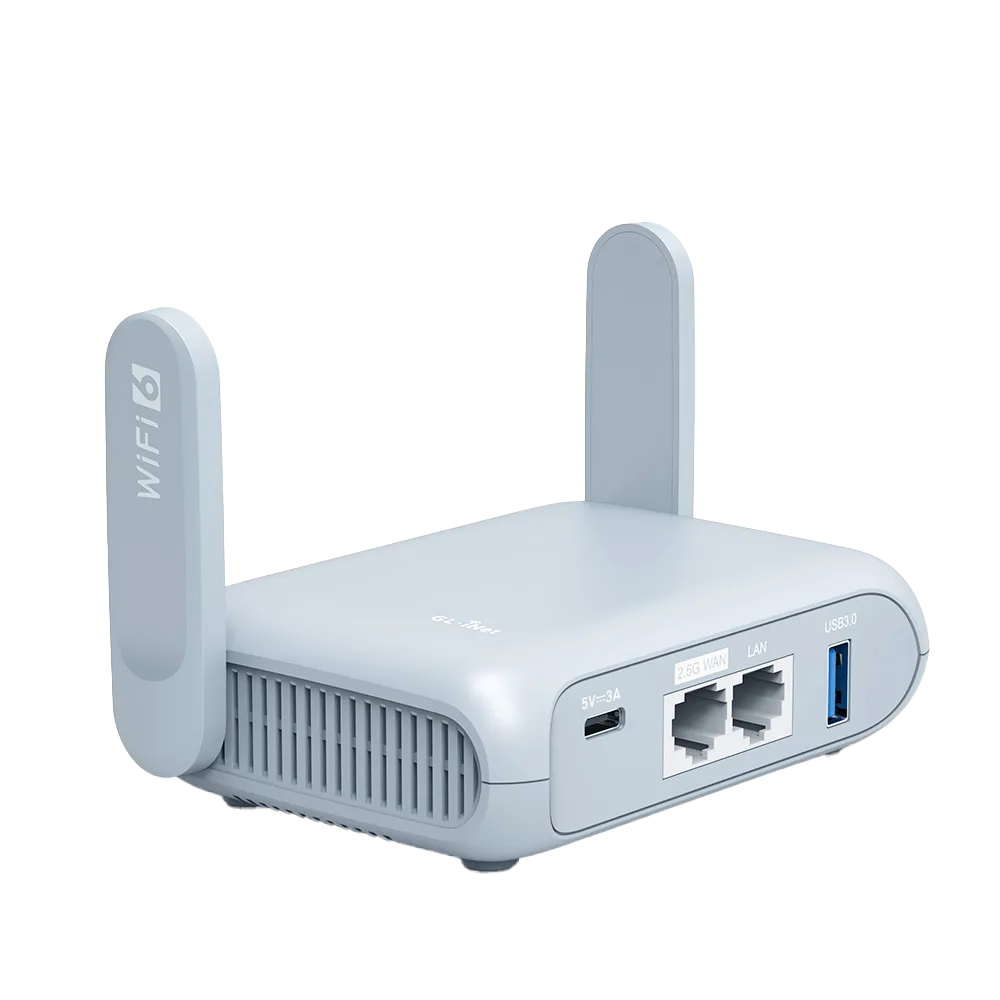
A traveler has a video call in 30 minutes. The phone signs in directly, so the hotel is fine. Behind the Beryl AX the portal never appears. Firmware shows 4.6 or later, so they check that Auto-Enable Login Mode is on and reload: still nothing after a minute. They switch off the VPN and AdGuard Home, note the DNS settings, set DNS to Automatic, and the portal loads. After signing in, they restore all three and confirm a new page loads on the laptop.
Had it still failed at the 20-minute mark, the right move is to join the call from the laptop directly on hotel Wi-Fi or through phone tethering, and finish troubleshooting afterwards. Set that cut-off before you start. This scenario is illustrative and not a test result.
If you have not bought a travel router yet
Everything above is extra work you only take on if you need a personal network: several devices behind one hotel login, a wired device, or a VPN that covers every device at once. If one laptop already signs in fine and that is all you carry, keep your current setup: a travel router adds a step rather than removing one. The travel-router decision guide covers that choice.
Watch demos / Official walkthroughs
See the hardware in action.
Videos load from YouTube only when you press play. These are provider videos, not our own product tests.

GL.iNet / Official video
Beryl AX (GL-MT3000) - Unboxing and Setup Guide
What to look for: Identify the hardware connections and setup steps for Beryl AX; other models can differ.
Watch on YouTubeQuestions before you decide
Why does the hotel login page appear on my phone but not through my travel router?
Settings that protect you on the router often block the sign-in page. GL.iNet's own troubleshooting list names DNS rebinding protection, custom DNS, active VPN connections and AdGuard Home. Its Public Hotspot Login Mode, in firmware 4.6 and later, suspends some services and switches DNS to automatic so the portal can load.
Is it safe to turn off the VPN to log in?
It is a short exposure, so keep it short. GL.iNet warns that login mode may expose network activity to the hotspot provider. Pause other browsing, sign in, then re-enable the VPN and DNS settings. The FTC notes that most websites already use HTTPS encryption, which still protects that traffic while the VPN is off.
What does MAC clone do, and when should I use it?
It makes the router present the same hardware address as a device that already completed the hotel login, so the hotel sees one known device. GL.iNet documents it as a later step after login mode and the settings changes. Respect the hotel's device limits; asking staff to whitelist the router's factory MAC address is the documented alternative.
Sources & verification
Product details and prices can change. Check the linked provider before buying.
- GL.iNet: Connect to a public hotspot with a captive portal (firmware 4) Accessed 29 Oct 2026
- FTC: Are public Wi-Fi networks safe? What you need to know Accessed 29 Oct 2026
Sources link directly to providers. Product buttons may use separately labeled affiliate links. Read our disclosure.