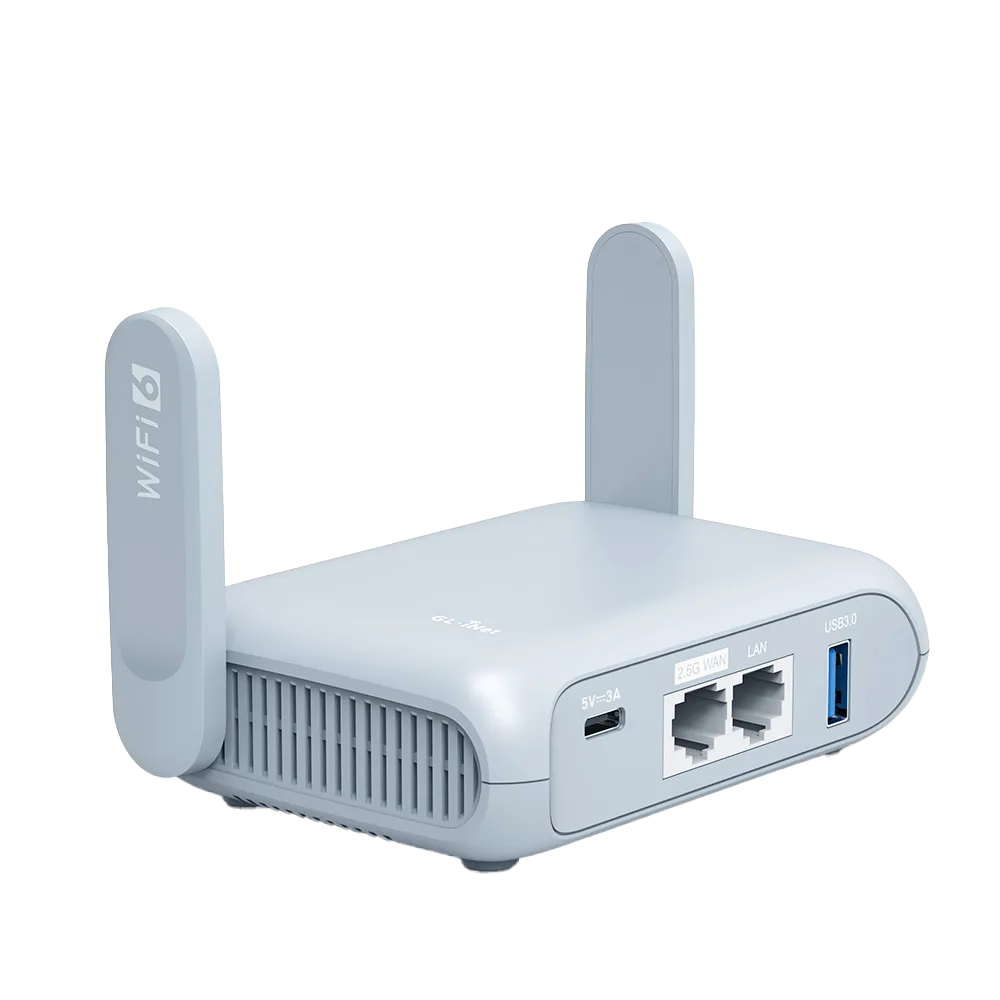
What each router supports
GL.iNet turns a USB drive or SD card into a shared network drive that every device on the router's Wi-Fi can reach. Which services you get depends on the model. GL.iNet's model table lists Samba (Windows-style file sharing), WebDAV (file access over HTTP or HTTPS) and DLNA (media serving to TVs and players). [1]
The Beryl AX has a USB 3.0 Type-A port and is listed with all three services. The Opal has a USB 2.0 port and is listed with Samba only, and only on firmware 4.8 or later. [1][2][3] If you want a TV to discover the drive on its own, that is the dividing line between the two.
| Beryl AX (GL-MT3000) | Opal (GL-SFT1200) | |
|---|---|---|
| USB port | USB 3.0 Type-A [2] | USB 2.0 [3] |
| Samba share | Yes [1] | Yes, firmware 4.8 or later [1] |
| WebDAV | Yes [1] | Not listed [1] |
| DLNA media server | Yes [1] | Not listed [1] |
| Wired ports for a laptop | 1 x 2.5G WAN, 1 x 1G LAN [2] | 1 x WAN, 2 x LAN, all gigabit [3] |
| Wi-Fi rating | 574 Mbps (2.4 GHz), 2402 Mbps (5 GHz) [2] | 300 Mbps (2.4 GHz), 867 Mbps (5 GHz) [3] |
| Power input | USB Type-C, 5V/3A [2] | USB Type-C, 5V/3A [3] |
Drive format and the 4 GiB trap
GL.iNet names NTFS, FAT32 and EXT4 as supported formats. Its page does not mention exFAT, a common format on new flash drives and SD cards, so if your drive uses it, plug it in at home first and reformat if the router does not mount it, rather than finding out in a hotel room. [1]
FAT32 has a hard limit: Microsoft lists its maximum file size as 4 GiB, while NTFS goes far beyond any travel drive. [4] A two-hour film or a phone's long 4K clip can exceed 4 GiB, and the copy simply fails on FAT32. EXT4 is a Linux file system; check that your laptop can open it before choosing it for a drive you will also unplug and carry.
| Format | Router support | Largest single file | Fits |
|---|---|---|---|
| NTFS | Supported [1] | 2^64 minus 1 bytes [4] | Most travel drives, especially with video |
| FAT32 | Supported [1] | 4 GiB [4] | Small files only: documents, photos, music |
| EXT4 | Supported [1] | Not covered by our sources | A drive that stays plugged into the router |
| exFAT | Not mentioned [1] | Not covered by our sources | Test at home; reformat if it does not mount |
Setting up a share in five steps
Two limits to plan around: the web admin panel only manages shared folders, so moving and deleting files is done from a client device or GL.iNet's mobile app; and over the app's cloud connection, rather than the local network, you cannot read or write files. [1]
- Plug the drive in. For an SD card, power the router off first, insert the card, then power on. A portable hard drive with its own power supply should use it. [1]
- Open the admin panel, then APPLICATIONS, then Network Storage. Turn on Samba (and WebDAV or DLNA on the Beryl AX if you want them) and click Apply. [1]
- Use Quick Setup Share to add a user and pick a folder. Clicking the disk name, such as disk1_part1, shares the whole disk. [1]
- New users start as Read-Only. Move a user to Read-Write only if they need to add or delete files. [1]
- Connect from each device: Finder, Go, Connect to Server on a Mac; Add a network location in Windows File Explorer; the Files app's Connect to Server on iPhone; an SMB-capable file app on Android. [1]
Security settings to check before you plug in
The router side facing the hotel or cafe network is its WAN. On a GL.iNet router in Repeater mode, the router creates its own subnet and acts as a firewall between your devices and the upstream Wi-Fi. [5] The network storage page has options that open the share to that upstream side, which is exactly what you do not want on a shared network.
| Setting | Where | Safe default on the road | Why |
|---|---|---|---|
| Allow Access Samba from WAN | Network Storage, Samba [1] | Off | Lets upstream devices reach the share; on hotel Wi-Fi that means other guests' network |
| Allow Access WebDAV from WAN | Network Storage, WebDAV [1] | Off | Same exposure for WebDAV |
| Anonymous Access | Shared folder settings [1] | Off | GL.iNet does not recommend it for security reasons |
| User permission | Read-Only or Read-Write User [1] | Read-Only unless needed | Limits accidental deletes from kids' tablets |
| WebDAV protocol | HTTP or HTTPS [1] | HTTPS | GL.iNet calls HTTP unencrypted; HTTPS uses a self-signed certificate your client may warn about |
Use cases that work, and ones that do not
Shared trip photos: create one Read-Write user for the adults and a folder per day. Everyone copies phone photos in over Wi-Fi in the evening, and one person takes the drive home. This works on both routers because it only needs Samba. [1]
Kids' downloaded media: on the Beryl AX, put videos on an NTFS drive, turn on DLNA and point the Share Path at the video folder. GL.iNet says a smart TV connected to the router will find the DLNA server automatically. [1] The TV has to be on your router's network for this to work; the hotel TV guide covers getting a TV onto it.
Not a backup system: a single drive in a bag is one copy. Treat the router share as a convenient transfer point, and keep a second copy on a laptop or cloud service once you have a fast connection.
Speed: what limits it and how to check
GL.iNet does not publish a file-transfer speed for network storage on either model, so we do not quote one. What sets the ceiling is the slowest link in the chain: the USB port (USB 3.0 on Beryl AX, USB 2.0 on Opal), the drive itself, the router's processor and the Wi-Fi link to each device. [2][3]
A wired laptop sees fewer variables. The Beryl AX LAN port is rated 1G; the Opal's ports are gigabit too. [2][3] Measure your own setup at home: copy one large file (for example 2 GB) from the share to a laptop, time it, and divide. If the result is too slow for a film night, copy the film to the tablet in advance instead of streaming it.
Watch demos / Official walkthroughs
See the hardware in action.
Videos load from YouTube only when you press play. These are provider videos, not our own product tests.
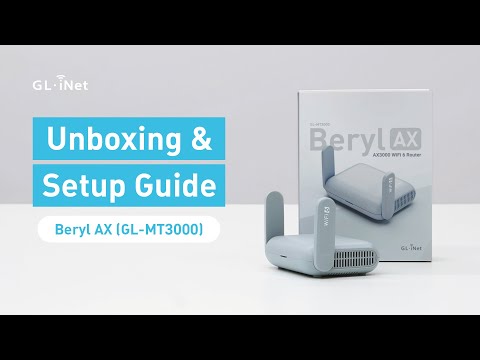
GL.iNet / Official video
Beryl AX (GL-MT3000) - Unboxing and Setup Guide
What to look for: Identify the hardware connections and setup steps for Beryl AX; other models can differ.
Watch on YouTubeQuestions before you decide
Which drive format should I use on a GL.iNet travel router?
GL.iNet names NTFS, FAT32 and EXT4 as supported and does not mention exFAT. Microsoft lists FAT32's maximum file size as 4 GiB, so a drive with long videos or disk images should use NTFS, whose limit is far beyond any travel drive.
Can I stream movies from the drive to a TV?
On the Beryl AX, yes, if the TV is a DLNA client and is connected to the router's network. GL.iNet says the TV should find the DLNA server automatically. The Opal does not support DLNA in GL.iNet's model table, so on the Opal you would open the Samba share from a player app instead.
Can other guests on the hotel network see my shared drive?
Only if you open it up. GL.iNet has a separate "Allow Access Samba from WAN" option (and one for WebDAV) that lets upstream devices reach the share. On a hotel or cafe network the upstream side is shared with strangers, so leave both options off.
Do I need a powered hard drive?
For a spinning portable hard drive, GL.iNet recommends using the drive's own external power supply, because high power draw from the USB port may cause a malfunction. A USB flash drive is the simpler choice for travel.
Sources & verification
Product details and prices can change. Check the linked provider before buying.
- GL.iNet Router Docs 4: Network Storage Accessed 30 Oct 2026
- GL.iNet Beryl AX (GL-MT3000) datasheet Accessed 30 Oct 2026
- GL.iNet: Opal (GL-SFT1200) product page Accessed 30 Oct 2026
- Microsoft Learn: File system functionality comparison Accessed 30 Oct 2026
- GL.iNet Router Docs 4: Repeater Accessed 30 Oct 2026
Sources link directly to providers. Product buttons may use separately labeled affiliate links. Read our disclosure.