When the wall jack is worth trying
A travel router normally joins hotel Wi-Fi as a repeater and rebroadcasts it as your own network. That depends on how well the router hears the hotel access point. A wired jack removes that radio hop between the hotel network and your router, so it is worth trying when the Wi-Fi signal in the room is weak, the network is congested in the evening, or the hotel Wi-Fi drops repeatedly.
A wire does not create bandwidth. If the hotel's shared internet connection is busy, the jack is limited by the same upstream. Treat it as a test: if it is better, keep it; if not, go back to repeater mode.
| Situation | Try the jack? | Why |
|---|---|---|
| Weak or unstable Wi-Fi in the room | Yes | Removes the hotel-to-router radio hop |
| Video calls or large uploads planned | Yes, test before the call | A stable link is easier to judge with a quick speed and call test |
| Wi-Fi already strong and fast | Optional | Little to gain; repeater mode is simpler |
| Jack is behind furniture or the cable won't reach a good router spot | Maybe | Router placement for your own Wi-Fi still matters |
| Front desk says the jack is not for guest internet | No | Do not plug into a port you have been told not to use |
Set the router WAN to DHCP
GL.iNet's setup is short: connect the router's WAN port to the upstream device, which its docs give as an ISP modem, router, network switch or an Ethernet jack, then open INTERNET > Ethernet in the admin panel to see the protocol, IP address, gateway and DNS server. [1]
DHCP is the default connection type, and it is the right starting point for a hotel. Static and PPPoE exist for connections where a provider gives you an address or a username and password. The advanced settings include VLAN ID, which GL.iNet says is needed only when a provider requires a tagged VLAN, and MTU, which defaults to 1500 bytes. Leave both alone unless the hotel tells you otherwise. [1]
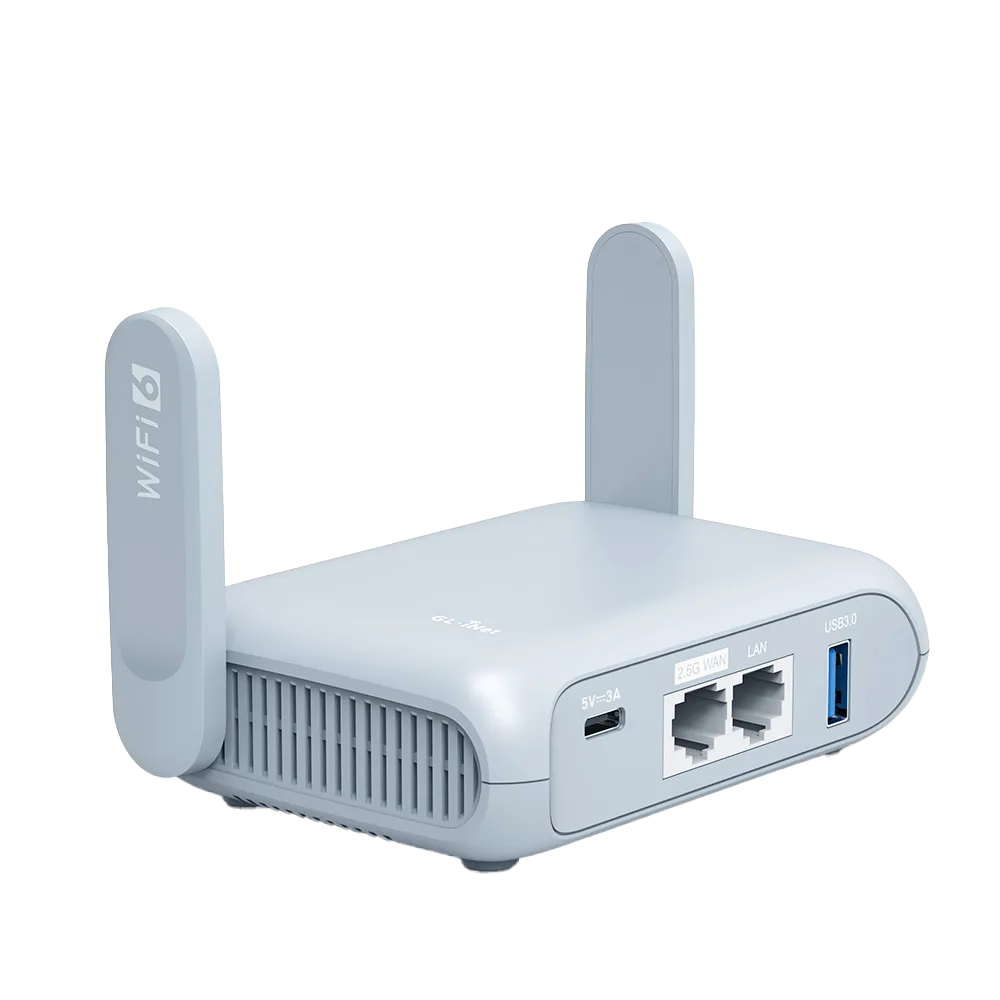
Opal's user guide gives the same instruction, to connect an Ethernet cable between the router's WAN port and an upstream device such as a modem. Beryl AX's guide also references separate WAN and LAN ports. Check the label on the port before plugging in. [3][4]
Wired login pages
Some hotels put the wired jack behind the same login page as the Wi-Fi. GL.iNet's captive portal FAQ is written for repeater connections, but the router settings it asks you to change are not Wi-Fi specific: disable DNS Rebinding Attack Protection under NETWORK > DNS, make sure all VPN connections are disabled, and turn off AdGuard Home, then refresh the portal page. [2]
If the portal remembers the device that logged in, the hotel may be tying access to a MAC address. GL.iNet's troubleshooting FAQ describes setting MAC Mode to Clone or Manual in the Ethernet port settings, which is how you would present the address of a device the hotel has already accepted. [5]
GL.iNet's last suggestion for stubborn portals is to ask hotel staff to allow the router's factory MAC address, not a randomized one. [2]
Troubleshooting tree
Work from the top and stop at the first row that matches what INTERNET > Ethernet shows.
| What the router shows | Likely cause | Next step |
|---|---|---|
| No link or no address shown | Bad cable, wrong port, or an unpowered jack | Reseat both ends, try another cable, confirm you are in the WAN port [5] |
| Stuck on connecting | DHCP issue, MAC binding or a VLAN requirement [5] | Wait a minute, replug, then ask the front desk whether the jack needs registration |
| Yellow warning: connected but no internet [1] | Login page not completed, or no upstream internet on that jack | With VPN, DNS rebinding protection and AdGuard Home off, re-enter or refresh the portal page and wait about a minute [2] |
| Portal accepted, still no internet | Access tied to a MAC address | Clone the MAC of the device that logged in, or ask staff to allow the router's factory MAC [2][5] |
| Works, then drops | Lease or session time-out | Log in again; set Wi-Fi as a failover so you stay online [6] |
Dead jacks and jacks for other systems
Not every jack in a hotel room is a guest internet port. Some are inactive, and some may be wired for room equipment rather than guest access. The router cannot tell you which; it can only tell you that no address arrived. If you see no cable, or the status never moves past connecting after a replug, ask the front desk whether the jack is meant for guest internet before spending more time on settings.
GL.iNet's general advice when nothing works, to check whether a computer connected directly to the upstream gets internet, translates to a hotel as plugging a laptop straight into the jack. If the laptop also gets nothing, the problem is the jack, not the router. [5]
Keep Wi-Fi as a backup
GL.iNet's Multi-WAN feature lets the router hold more than one internet source. In the default Failover mode it switches to the next available interface by priority when the current one fails, and switches back when a higher-priority link returns. GL.iNet's own example uses a wired connection with Repeater to nearby Wi-Fi as the backup. [6]
A practical hotel setup is Ethernet first and hotel Wi-Fi second. If the jack's session times out overnight, the router can fall back to Wi-Fi while you sort out the login. GL.iNet says tracking uses ping to a destination IP to check each connection, which is how a jack that is up but not passing traffic would be noticed. [6]
Before you pack
This guide summarises GL.iNet's documentation; we have not tested these steps on hotel networks.
- A short flat Ethernet cable; jacks are often behind the desk or bed.
- Your router admin password written down, so you can reach INTERNET > Ethernet without guessing.
- The MAC address of the device you normally use for hotel logins, in case cloning is needed. [5]
- Knowledge of which router port is WAN; GL.iNet notes the WAN port can be switched to a LAN role, so check it hasn't been changed. [1]
Watch demos / Official walkthroughs
See the hardware in action.
Videos load from YouTube only when you press play. These are provider videos, not our own product tests.

GL.iNet / Official video
Beryl AX (GL-MT3000) - Unboxing and Setup Guide
What to look for: Identify the hardware connections and setup steps for Beryl AX; other models can differ.
Watch on YouTubeQuestions before you decide
Which connection type should I pick for a hotel wall jack?
Start with DHCP, which GL.iNet lists as the default Ethernet WAN type. Static and PPPoE are for connections where you have been given an address or a username and password; a hotel guest jack rarely comes with either, so ask the front desk before changing it.
The router says the cable is connected but there is no internet. What next?
GL.iNet shows a yellow warning when the interface is connected but the internet can't be reached, and suggests checking the upstream device and the Multi-WAN status. In a hotel that usually means checking for a login page, then asking whether the room jack is active for guest internet.
Sources & verification
Product details and prices can change. Check the linked provider before buying.
- GL.iNet Router Docs: Ethernet Accessed 30 Oct 2026
- GL.iNet Router Docs: Connect to a hotspot with captive portal Accessed 30 Oct 2026
- GL.iNet Router Docs: GL-SFT1200 (Opal) user guide Accessed 30 Oct 2026
- GL.iNet Router Docs: GL-MT3000 (Beryl AX) user guide Accessed 30 Oct 2026
- GL.iNet Router Docs: Internet Connection Troubleshooting FAQ Accessed 30 Oct 2026
- GL.iNet Router Docs: Multi-WAN Accessed 30 Oct 2026
Sources link directly to providers. Product buttons may use separately labeled affiliate links. Read our disclosure.