How to use this glossary
Each term gets a plain definition, then what it means for you on a hotel, rental or campus network. The last column names the GL.iNet firmware 4 documentation page where the setting lives, numbered to the source list at the bottom. Menu paths are from GL.iNet's current docs; older firmware can label things differently, so check your version first.
This is a research glossary built from GL.iNet documentation. It does not record our own testing.
Setup and network terms
These describe the router itself and the private network it creates. Most are set once at home and then left alone.
| Term | Group | What it means | What it means for you | Where it lives |
|---|---|---|---|---|
| Admin panel | Setup | The router's web settings page, at 192.168.8.1 by default. | Where every change in this glossary is made. If it will not load, turn off mobile data and device VPNs. | First time setup [1]; Cannot access 192.168.8.1 [16] |
| SSID | Setup | The name of a Wi-Fi network. | Your router's SSID stays the same everywhere, so devices reconnect without asking. | First time setup [1] |
| Router mode | Setup | The default mode: the router creates a private network and acts as its gateway, with NAT, DHCP and a firewall. | The mode you want in almost every hotel. | Network Mode [2] |
| Access Point mode | Setup | The router takes a wired network and broadcasts Wi-Fi, with its NAT and DHCP turned off. | Useful to add Wi-Fi to a trusted wired network; it gives up the private network. | Network Mode [2] |
| Extender mode | Setup | The router relays an existing Wi-Fi network to fill coverage gaps. | Not the same as Repeater. Router features such as port forwarding and Multi-WAN are unavailable in non-router modes. | Network Mode [2] |
| WDS | Setup | A mode for wireless bridging between multiple compatible routers. | Rarely relevant on the road; hotel access points are not your compatible routers. | Network Mode [2] |
| NAT | Setup | Network address translation: many devices inside share one outside address. | Why the hotel sees one device instead of all of yours. | Network Mode [2] |
| DHCP | Setup | The service that hands out addresses to devices automatically. | The router runs it for your devices; the hotel runs it for the router. | Network Mode [2]; Ethernet [5] |
| LAN subnet | Setup | The address range of your private network, 192.168.8.x by default. | Change it if it matches the venue's range. | Subnet conflict FAQ [14] |
| Subnet conflict | Setup | Your network and the venue's use the same range, so traffic cannot route correctly. | The router warns you; change the third number, for example to 192.168.10.1. | Subnet conflict FAQ [14] |
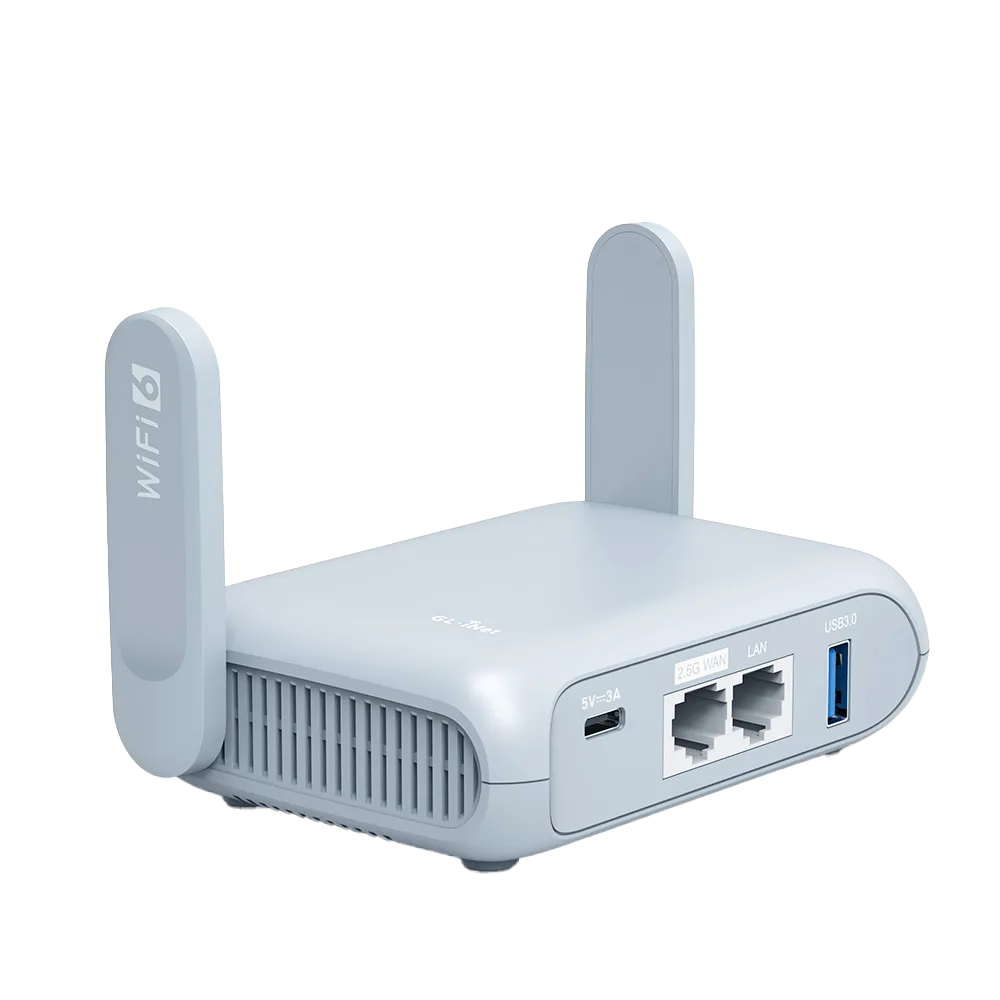
| Reset: network vs factory | Setup | Beryl AX's reset button restores network settings with a press of more than 3 and under 8 seconds, and factory settings with 8 seconds or more. | Try the shorter press first; a factory reset wipes your admin password, Wi-Fi name and VPN profiles. | Beryl AX datasheet [12] |
| LuCI | Setup | The advanced OpenWrt settings interface, installed from SYSTEM > Advanced Settings. | Needed for some enterprise Wi-Fi settings; its changes do not sync back to the main admin panel. | EAP tutorial [15] |
Connection source terms
These describe where the router gets its internet: the WAN side. In a hotel this is usually Repeater; in a rental it may be an Ethernet port; in a pinch it is your phone.
| Term | Group | What it means | What it means for you | Where it lives |
|---|---|---|---|---|
| WAN | Source | The upstream, internet-facing side of the router: a WAN port, Wi-Fi link, phone or modem. | Every source below is a kind of WAN. | Ethernet [5]; Multi-WAN [10] |
| Repeater | Source | GL.iNet's name for joining an existing Wi-Fi network and using it as the router's internet. | The normal hotel setup. Set it at INTERNET > Repeater. | Repeater [3] |
| WISP | Source | Wireless Internet Service Provider mode: the router takes internet from a Wi-Fi network, creates its own subnet and acts as a firewall. GL.iNet says its Repeater works in WISP mode by default. | If a guide says WISP, the matching GL.iNet feature is Repeater in its default mode. | Repeater [3] |
| Join Other Network | Source | Manually enter an SSID, security type and password. | For hidden networks, or when the hotel SSID is not in the scan. | Repeater [3] |
| Known Networks | Source | Saved Wi-Fi networks, kept when Remember is ticked. | Delete a network here after a wrong password so the router stops retrying it. | Repeater [3] |
| Allow Switching to Other Saved Networks | Source | Lets the router join another saved network when the current one is unavailable. | Handy in a rental with two access points; leave off if you want to stay on one. | Repeater [3] |
| Band Selection | Source | Limits scanning and connecting to one frequency band. | Cuts a crowded scan list down to the band the front desk recommends. | Repeater [3] |
| Lock BSSID | Source | Ties the connection to one specific access point, even if others share the SSID. | Keeps the router on the access point nearest your room. | Repeater [3] |
| Tethering | Source | Internet from a phone connected to the router's USB port. | Your backup when hotel Wi-Fi fails. Some carriers limit or charge extra for tethering. | Tethering [4] |
| DHCP / Static / PPPoE | Source | The three Ethernet WAN connection types. DHCP is the default. | A hotel wall port almost always wants DHCP; Static and PPPoE are for lines that require them. | Ethernet [5] |
| VLAN ID | Source | A tag some providers require on the wired connection. | Only set it if the provider tells you to. | Ethernet [5] |
| TTL | Source | The IPv4 time-to-live value. By default the router forwards the client's TTL minus one; you can set a fixed value. | Appears in Repeater, Ethernet and Tethering advanced settings. Leave it unless you know why you need it. | Repeater [3]; Tethering [4] |
| MTU | Source | The largest packet size on a link; 1500 by default. | Rarely needs changing; a wrong value can cause odd partial failures. | Repeater [3]; Ethernet [5] |
| Multi-WAN | Source | Using more than one internet source on one router, as backup or together. | Lets hotel Wi-Fi and phone tethering both be configured. | Multi-WAN [10] |
| Failover | Source | The default Multi-WAN mode: switch to the next interface by priority when the active one fails, and switch back when it recovers. | Hotel Wi-Fi first, phone second. | Multi-WAN [10] |
| Tracking IP | Source | The address the router pings to decide whether a connection is online. | If pings to it fail, the router shows that link as unavailable even when browsing might work. | Multi-WAN [10] |
| DFS | Source | Dynamic Frequency Selection: 5 GHz channels shared with radar. On listed models the router follows the upstream network's DFS channel. | Explains why the router's own 5 GHz channel can change after joining a hotel network. | Repeater [3]; Wireless 4.8 [17] |
Security and login terms
These cover the hotel login page and the settings that protect you. Several protections have to be relaxed briefly to get past a portal, then turned back on.
| Term | Group | What it means | What it means for you | Where it lives |
|---|---|---|---|---|
| Captive portal | Security | The venue page that must be completed before internet access opens. | Do it once per stay from one device behind the router. | Captive portal FAQ [6] |
| Auto-Enable Login Mode for Public Hotspots | Security | Firmware 4.6+: puts the router into a login mode for public hotspots; DNS goes to automatic and some services are suspended. | Helps the portal load; may expose network activity to the hotspot provider. | Repeater [3]; Captive portal FAQ [6] |
| Enable Camouflage | Security | Makes the router imitate the MAC of the device you are using to open the admin panel. | A quick way to look like the phone that already logged in. | Repeater [3] |
| MAC address | Security | A hardware address unique to each network interface. The label on GL.iNet routers shows the WAN MAC. | Hotels and campuses may ask for one to whitelist a device. | MAC address FAQ [13] |
| MAC Mode: Factory, Clone, Random | Security | Which MAC the router uses on a network: its own, a copied one, or a random one. Saved per SSID. | Clone a phone that already passed the portal, or ask the hotel to whitelist the factory MAC. | Repeater [3]; Captive portal FAQ [6] |
| DNS Rebinding Attack Protection | Security | A DNS protection that GL.iNet warns may cause private DNS lookups to fail. | Can break a portal; GL.iNet says to disable it on captive-portal networks. | DNS [7] |
| Encrypted DNS | Security | A DNS mode that sends lookups through encrypted DNS providers. | Turn on after the portal, not before. | DNS [7] |
| Guest network | Security | A separate Wi-Fi for visitors, isolated from the main network, at 192.168.9.1 by default. | Put a borrowed or untrusted device here. | Guest Network [8] |
| AP Isolation | Security | Stops guest devices talking to each other. | Good for strangers; bad if two of your own devices need to see each other. | Guest Network [8] |
| Block WAN Subnets | Security | Firmware 4.8+: stops the guest network reaching the upstream network. | Keeps guests away from the hotel's other devices. | Guest Network [8] |
| Kill switch | Security | Blocks traffic when the VPN is down. On 4.8+ each tunnel has one, on by default; Enhanced Kill Switch, off by default, also stops traffic not covered by a VPN tunnel. | One reason a portal can fail to load while a VPN is on but not connected. | VPN Dashboard [9]; Kill switch FAQ [11] |
| WPA-Enterprise / EAP / 802.1X | Security | Wi-Fi that checks a personal username and password through EAP, typical of business and campus networks. | Some GL.iNet models join it through Repeater; others need LuCI or different firmware. | Repeater [3]; EAP tutorial [15] |
Five terms people mix up
Repeater and Extender. Repeater is an internet source; by default it works in WISP mode, so the router creates its own subnet and acts as a firewall. Extender is a network mode that relays someone else's Wi-Fi. Pick Repeater in a hotel. [2][3]
Camouflage and Clone. Camouflage copies the MAC of the device in front of you. Clone copies a client device's MAC. Both are fixes for a stubborn portal. [3]
Kill switch and VPN. A VPN encrypts traffic. A kill switch decides what happens when the VPN is down. On firmware 4.8 and later the per-tunnel kill switch is on by default once the tunnel is active. [11]
Guest network and main network. Both are yours. Guest is isolated from the main network and, with AP Isolation, from other guests. [8]
Failover and Load Balance. Failover uses one link at a time. Load Balance spreads new connections across several links by a ratio. On a trip, failover is usually what you want. [10]
Read your own firmware first
GL.iNet notes firmware-dependent differences throughout its docs: hotspot login mode arrived in 4.6, the kill-switch layout changed at 4.8, and Block WAN Subnets needs 4.8. [6][8][11] Check your version on the router before matching menu names to this glossary. If a term here is missing from your menu, your firmware may predate it.
Watch demos / Official walkthroughs
See the hardware in action.
Videos load from YouTube only when you press play. These are provider videos, not our own product tests.
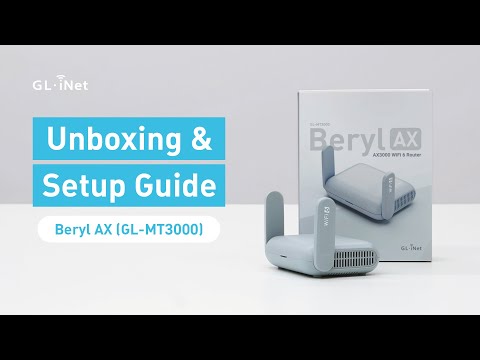
GL.iNet / Official video
Beryl AX (GL-MT3000) - Unboxing and Setup Guide
What to look for: Identify the hardware connections and setup steps for Beryl AX; other models can differ.
Watch on YouTubeQuestions before you decide
Is Repeater the same as Extender mode on a GL.iNet router?
No. In GL.iNet firmware 4, Repeater is an internet source under INTERNET; GL.iNet says it works in WISP mode by default, with the router creating its own subnet and acting as a firewall. Extender is a network mode that relays an existing Wi-Fi network. GL.iNet lists DHCP server, NAT settings, port forwarding and Multi-WAN as unavailable in non-router modes.
What is the difference between MAC clone and Camouflage?
Both make the router present a different MAC address to the hotel. Enable Camouflage imitates the MAC of the device you are using to open the admin panel. MAC Mode set to Clone copies a client device's MAC. GL.iNet saves the MAC mode per SSID.
Why does a captive portal fail with DNS Rebinding Attack Protection on?
GL.iNet's DNS page warns that turning the protection on may cause private DNS lookups to fail, and says to disable it if your network has a captive portal. Its captive-portal help lists the same step, along with setting DNS Mode to Automatic.
What is WPA-Enterprise and can a GL.iNet router join it?
It is Wi-Fi that checks a personal username and password through 802.1X and EAP, as on eduroam. GL.iNet supports it on some models through Repeater or LuCI, but its tutorial says Beryl AX (GL-MT3000) and Flint 2 (GL-MT6000) need GL.iNet's OpenWrt 24 firmware for it, and Opal needs firmware 4.8 or later.
Sources & verification
Product details and prices can change. Check the linked provider before buying.
- GL.iNet Router Docs 4: First time setup Accessed 30 Oct 2026
- GL.iNet Router Docs 4: Network Mode Accessed 30 Oct 2026
- GL.iNet Router Docs 4: Repeater Accessed 30 Oct 2026
- GL.iNet Router Docs 4: Tethering Accessed 30 Oct 2026
- GL.iNet Router Docs 4: Ethernet Accessed 30 Oct 2026
- GL.iNet Router Docs 4: How to connect a GL.iNet router to public hotspots with a Captive Portal Accessed 30 Oct 2026
- GL.iNet Router Docs 4: DNS Accessed 30 Oct 2026
- GL.iNet Router Docs 4: Guest Network Accessed 30 Oct 2026
- GL.iNet Router Docs 4: VPN Dashboard Accessed 30 Oct 2026
- GL.iNet Router Docs 4: Multi-WAN Accessed 30 Oct 2026
- GL.iNet Router Docs 4: How to Block Non-VPN Traffic (VPN Kill Switch) Accessed 30 Oct 2026
- GL.iNet: GL-MT3000 (Beryl AX) datasheet, ver. 20250320 Accessed 30 Oct 2026
- GL.iNet Router Docs 4: How can I find all MAC addresses of my device? Accessed 30 Oct 2026
- GL.iNet Router Docs 4: How to resolve a subnet conflict? Accessed 30 Oct 2026
- GL.iNet Router Docs 4: How to connect to an EAP (Extensible Authentication Protocol) network Accessed 30 Oct 2026
- GL.iNet Router Docs 4: Cannot access the router through 192.168.8.1 Accessed 30 Oct 2026
- GL.iNet Router Docs 4: Wireless (firmware 4.8 guide) Accessed 30 Oct 2026
Sources link directly to providers. Product buttons may use separately labeled affiliate links. Read our disclosure.