Home networking: router upgrades, mesh Wi-Fi, VLANs and whole-home VPN
Plan a home router upgrade: replacing the ISP router, mesh placement, wired backhaul, double NAT, bufferbloat, VLANs and DNS.
Begin with the problem, not the hardware. Weak coverage in some rooms points to placement and backhaul guides; laggy video calls while others stream point to bufferbloat and queue management; smart-home clutter points to VLANs and guest networks. Read the guide that matches your symptom first, because some of these fixes need no new router.
If you do plan to replace or add a router, read the guides on replacing the ISP router and avoiding double NAT before buying, so you know what your provider's equipment must keep doing. Then decide whether an OpenWrt-based router is worth the extra setup for you, and use the model reviews, comparisons and alternatives pages to narrow the short list.
Advanced features come last: whole-home VPN, VPN policy routing, encrypted DNS and network-wide ad blocking. Each adds settings to maintain, so turn them on one at a time and confirm the basics still work after each change.
GL.iNet Flint 2 (Wi-Fi 6) and Flint 3 (Wi-Fi 7) compared from their datasheets: radios, 2.5G ports, rated VPN speed and price, with a worked example of when Wi-Fi 7 changes nothing.
How Flint 2 compares with ASUS RT-AX86U Pro, TP-Link Archer BE550, GL.iNet Flint 3 and official OpenWrt for router-level VPN: WireGuard support, port speeds, policy routing and firmware openness.
The specs that decide whether a router can run a VPN for a whole household (published WireGuard and OpenVPN throughput, CPU, policy routing, provider integration), mapped to line speed, with a worked 500 Mbps example that keeps two streaming TVs off the tunnel.
Research guide (vendor datasheets and documentation; no firsthand testing)Read guide
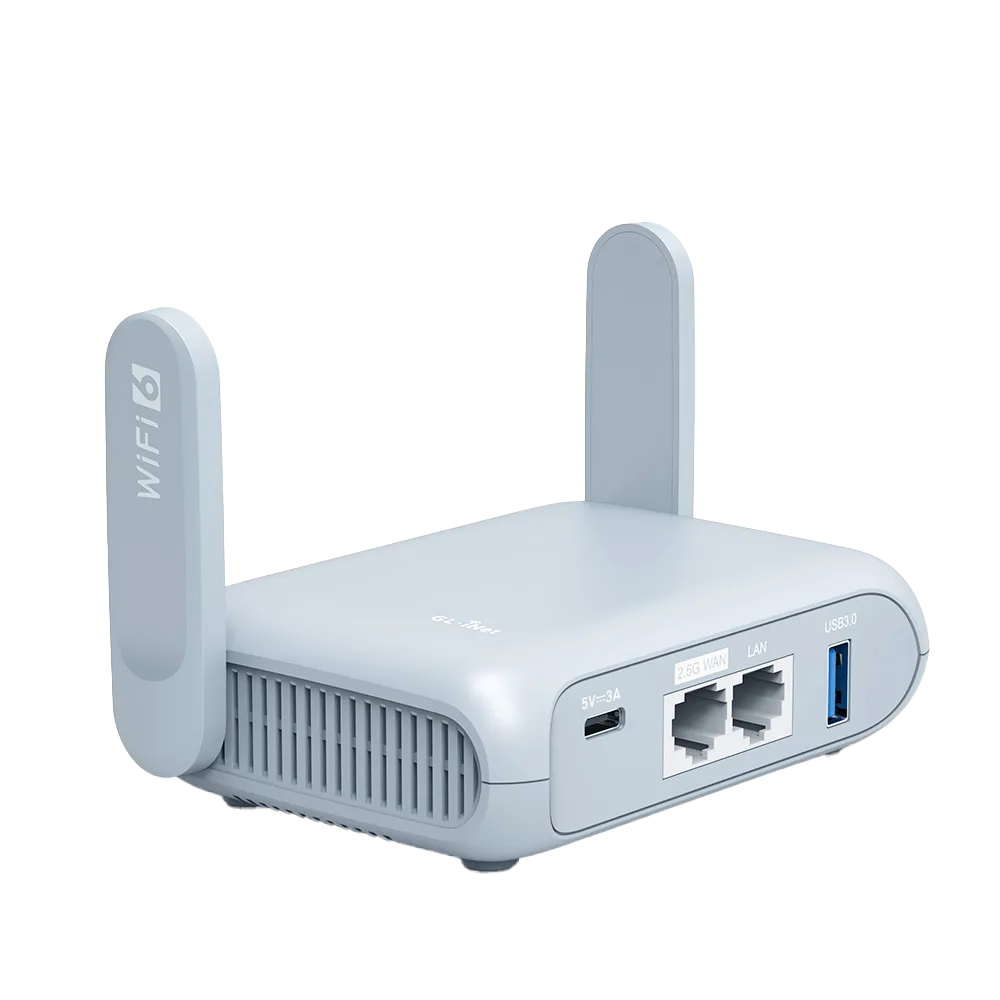
A research review of GL.iNet Flint 2 from its datasheet and firmware docs: 2.5G ports, Wi-Fi 6, rated VPN throughput, OpenWrt access and price, with who it fits and who should skip it.
What a home router like GL.iNet Flint 2 adds over an ISP gateway, what you give up, and the setup checks that decide between router mode, access-point mode, or keeping what you have.
How to tell whether you have double NAT or carrier-grade NAT, when it actually breaks something, and the fixes in order: remove, bridge, or access-point mode.
Latency under load can break calls on a fast line. Here is how to measure it, what SQM and QoS do on OpenWrt and GL.iNet firmware 4, and the throughput and CPU costs.
Compare the ways to bring a wired connection to a desk: a new Ethernet run, MoCA over existing coax, powerline or G.hn adapters, and wired backhaul for mesh points. Covers what the standards bodies claim and the common installation traps.
What the AdGuard Home app built into GL.iNet firmware does, how its Handle Client Requests option interacts with VPN policies, DNS settings and hotel login pages, which models support it, and when a VPN app blocker is the better fit.
How GL.iNet firmware 4.9 VPN policies route traffic by device, connection type, domain or IP. When an app's own split tunneling is simpler, a worked household example, and a checklist for proving it works.
Plain trade-offs from OpenWrt and GL.iNet documentation: package flexibility, VPN options, how updates work, who supports what, and how things break. Includes who should stay with an ISP or mainstream router.
Why to keep smart-home devices away from work laptops, how a guest network compares with a VLAN, what tends to break (casting and discovery), and what GL.iNet firmware documents for each.
What DoH and DoT protect according to the RFCs, what still leaks, how router-level and browser-level settings interact with a VPN and hotel captive portals, and how to check it works on GL.iNet firmware.
How to use a Beryl AX or Opal at home in Extender, Access Point or Router mode, what each mode turns off according to GL.iNet, the port and Wi-Fi limits from the datasheets, and when a full home router such as Flint 2 is the better tool.
Research guide (GL.iNet documentation and datasheets; no firsthand testing)Read guide
What Starlink's support pages say about bypass mode by hardware generation, why only a physical factory reset turns it off, the router-side WAN setup, how to check for CGNAT, and a note for Starlink Mini on the road.
Research guide (Starlink support articles, GL.iNet documentation and IETF RFC 6598; no firsthand testing)Read guide
What T-Mobile's support page says about third-party routers, bridge mode, gateway Wi-Fi, NAT and port forwarding, how to cable and set up your own router behind the gateway, and what a personal router can and cannot fix.
Research guide (T-Mobile support page, GL.iNet documentation and IETF RFC 6598; no firsthand testing)Read guide
How AT&T IP Passthrough works with the gateway still in place, the gateway-side settings from AT&T's support article, the router WAN settings, what to do about gateway Wi-Fi, and how to confirm your router received the public IP.
Research guide (AT&T support articles and GL.iNet documentation; no firsthand testing)Read guide
What Xfinity bridge mode switches off, how to turn it on and back off at 10.0.0.1, the own-modem alternative and its limits, and a router-side checklist for the switch.
How PPPoE logins and ISP VLAN IDs work, real examples from three ISPs, where GL.iNet puts the PPPoE, VLAN and MTU fields, why 1492 matters, and the questions to ask your ISP before you swap routers.
A step-by-step migration from an old or ISP router to a new one: what to record, how to match the Wi-Fi name, password and security mode, where GL.iNet keeps each setting, the cutover order and a rollback plan.
How Wi-Fi 7 MLO combines bands, the STR and EMLSR modes, why the laptop or phone must support it too, which Apple devices list MLO, and who gains from it now versus a Wi-Fi 6 router.
What DFS is under FCC and ETSI rules, the 60-second and 10-minute radar checks, why 5 GHz drops when radar is detected, a US and EU channel table, and where GL.iNet and Meraki let you include or exclude DFS channels.
Plain-language definitions of home router spec-sheet terms, each with a note on whether it matters for a home office, cross-referenced to where Flint 2 and Beryl AX spec sheets use them.